Tattoo design software: which tool does which job
There is no single tattoo design software that does everything. In practice, a design often passes through two or three programs: one to sketch and draw in, one to clean up lines or set the lettering, and one to print the stencil or show how the piece sits on a body. Choose by the job in front of you, not by the longest feature list.
Match the tool to the job
"Tattoo software" covers programs that have little in common. Some are for drawing, some for arranging shapes and type, some generate a design from a description, and some only show a finished design on a body. Sorted by the job they do:
| The job | The kind of tool | Examples |
|---|---|---|
| Sketching, linework and shading | A drawing app and a pressure-sensitive stylus | Procreate, Krita, Photoshop |
| Lettering, geometry and symmetry | A vector editor | Inkscape, Illustrator |
| Exploring ideas and versions fast | An AI tattoo generator | click2ink and other AI tools |
| Seeing the design on a body | A photo mockup, a camera try-on or a 3D figure | Photo editors, try-on apps, 3D studios |
| The stencil | A clean outline printed at its true size | Stencil apps, a print page, a thermal stencil printer |
Few people need all five. Someone planning a single tattoo needs ideas, a body preview and a file they can print. A working artist needs a drawing app and a stencil routine that never fails on a busy day. Everything else is preference.
Drawing apps: where hand-drawn tattoos take shape
If you want to draw the lines yourself, you need a drawing app and a stylus. The stylus matters more than the app. Tattoo linework depends on lines that swell and taper, and pressure sensitivity is what gives you that taper without redrawing every curve ten times.
Procreate on the iPad
Procreate is a common choice among artists who draw on an iPad. Its maker sells Procreate for iPad through the App Store with no subscription, and says it's even better with an Apple Pencil. The catch is the hardware: without an iPad, it isn't an option.
Krita, Photoshop and a pen tablet
For a desk setup, Krita calls itself a professional, free and open source painting program, which makes it the natural place to start without spending anything. Photoshop is the long-established paid alternative and a familiar tool for artists who build realism from photo references. Either one works with a pen tablet plugged into a computer.
Set up the canvas like a tattoo, not a poster
- Make the canvas the size the tattoo will be on skin, at print resolution (300 pixels per inch is a common choice), so the stencil prints crisp.
- Give each stage its own layer: sketch, final lines, shading and color, because the stencil usually needs the lines alone.
- Judge line weight at actual size. A line that looks bold when you're zoomed in can turn into a hairline on the forearm.
Vector tools for lettering, mandalas and geometric work
Drawing apps paint with pixels. Vector editors store shapes as curves, so a mandala or a word can be scaled up or down without going soft at the edges. That is why vector graphics suit anything that must stay precise: script, dot grids, perfect circles, petals repeated around a center.
Inkscape is a free, open source vector editor for Windows, macOS and Linux; Illustrator is the best-known commercial one. Both take some getting used to if you have only ever drawn freehand. A good habit for lettering: set the words in a vector tool, then trace and personalize them by hand so they don't look typed. Our guide to tattoo fonts and lettering covers which scripts hold up when they're small.
And Canva? It's a template-based design platform with a free tier, handy for mood boards and for comparing one word in five fonts. It isn't made for drawing tattoo linework, so treat anything you make there as a reference for your artist, not a stencil.
AI tattoo design software: describe it instead of drawing it
A newer kind of tattoo design software skips the drawing. You describe the tattoo in words, the AI draws it, and you refine it in conversation: "curl the scorpion's tail tighter," "lose the background." It's the quickest way to see a dozen directions before you commit to one, and it helps most when you have a clear idea and no drawing skills.
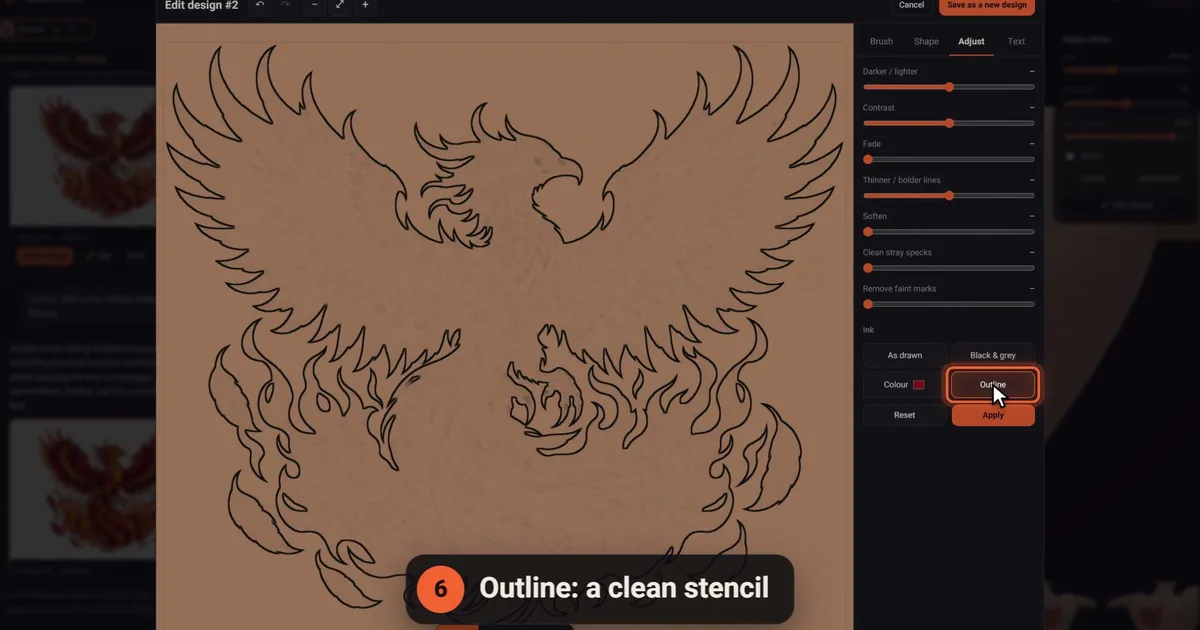
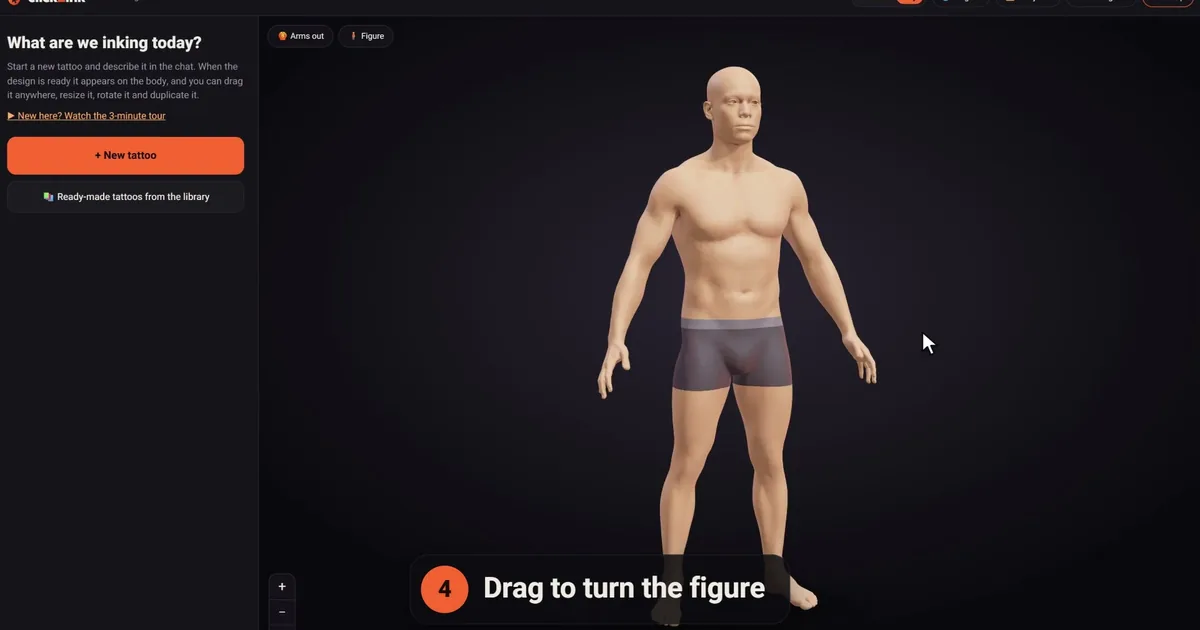
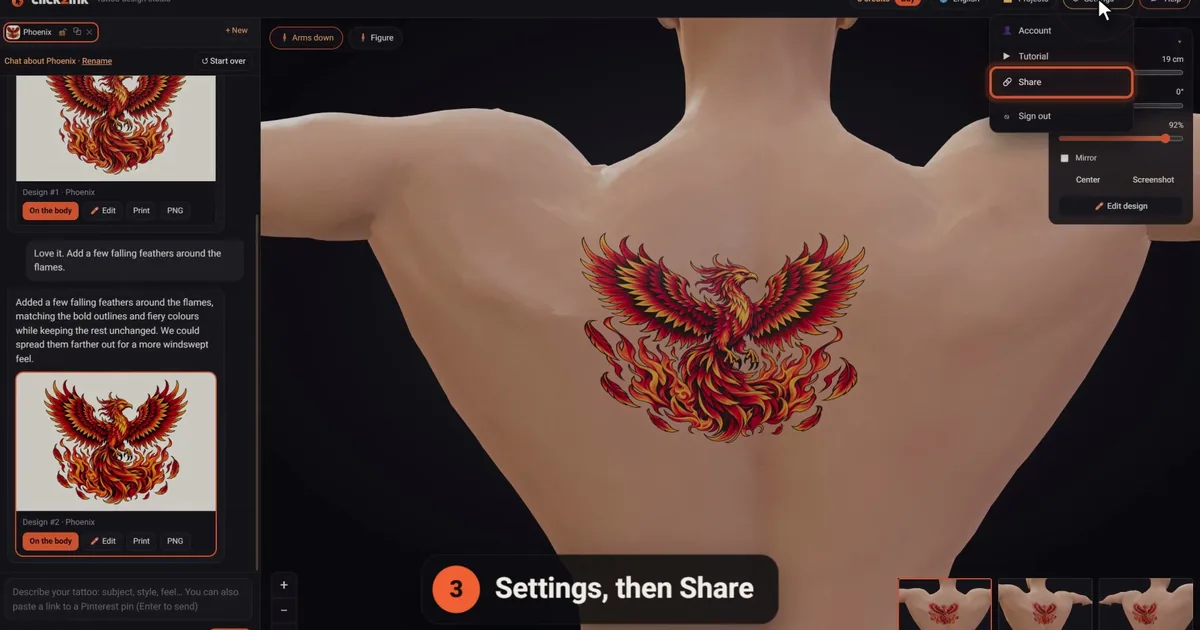
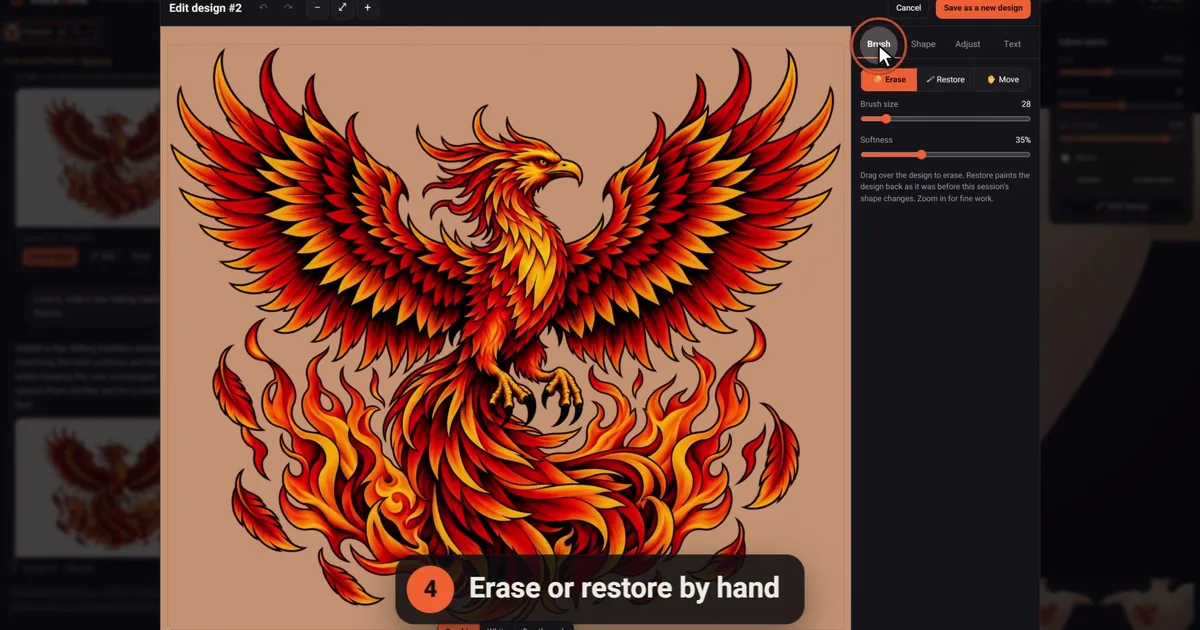
click2ink, the studio we make, works this way. Every design is drawn from scratch for your request and lands on a 3D figure of a body, sized in real centimeters. The editor (✏️ Edit) then gives you hand tools that cost no credit: erase and restore, clean stray specks, flip and mirror, crop and stretch, adjust the ink's tone and contrast, switch to black and grey, outline the design for a stencil look, or add a name or a date.
To be fair about what it isn't: it's not a drawing program, and you can't sketch your own lines in it. If drawing is the part you love, Procreate or Krita is the better home. You can still photograph a paper sketch and attach it with 📎 for the AI to redraw as clean artwork. The full list of tools is on the features page.
What you need depends on who you are
You're planning your own tattoo
You don't need professional software. You need a way from idea to design, a way to see it on a body, and a file your artist can work from. An AI generator with a body preview covers all three; a free drawing app covers the first if you would rather sketch. For the phone side of things, see our look at the tattoo design app options.
You're an apprentice
Learn on paper and in a drawing app before anything else. Redrawing classic flash by hand teaches line weight, spacing and how a design reads from across a room, and no generator can teach you that. Krita is plenty while you learn.
You're a working artist
Many artists settle on one drawing app and a stencil routine they trust. AI earns its place when a client arrives with nothing but a vague idea: a few quick versions turn "something with a wolf" into a clear brief, which you then redraw in your own hand. Our guide to bringing an AI design to a tattoo artist is written for your clients, so it may be worth sharing.
Six questions before you pay for anything
- Does it run on what you own? Some tools are iPad-only, some desktop-only, and some work in any browser.
- Can it export a clean, high-resolution file? A PNG with a transparent background is the minimum; SVG or PDF export is a bonus for lettering.
- Can it print at the true size? A stencil at the wrong scale wastes a session. Look for a way to check the scale, such as the 5 cm check ruler on our print page.
- Who else sees your designs? Some AI tools show what you make in a public gallery. Find out before you type in a name or a date that matters to you.
- How do you pay? Subscription, one-time purchase or credits. Krita and Inkscape are free; our studio starts you with 3 free credits, then sells one-time packs from $5 for 10 (details on the pricing page). Check each maker's site for current prices.
- Will your artist work from it? Ask early. Some artists happily tattoo from a client's file; others redraw everything, and that's their call to make.
Questions about tattoo design software
What software do tattoo artists use to design tattoos?
Many artists draw on an iPad, often in Procreate. Others work in Photoshop or a free desktop program such as Krita, and plenty still start with pencil and paper. Vector editors come in for lettering and geometric work, and the finished drawing goes to a stencil printer. There's no standard kit, so ask an artist whose work you admire; you'll usually hear a mix of two or three tools.
Is there free tattoo design software?
Yes. Krita is a free, open source painting program for drawing and shading, and Inkscape is a free vector editor for clean shapes and lettering. If you would rather describe a tattoo than draw it, click2ink gives new accounts 3 free credits for AI designs, and its library of 450+ ready-made tattoos, the 3D preview and printing never cost anything.
Can I design a tattoo in Canva?
You can arrange text, shapes and images there, which makes Canva handy for mood boards and for comparing one word in several fonts. It isn't built for drawing tattoo linework, though. Expect anything you make in it to be redrawn in a drawing app, or hand it to your artist as a reference rather than a finished stencil.
Do I need a drawing tablet to design tattoos?
Only if you plan to draw the lines yourself. A mouse makes slow, wobbly lines; a pressure-sensitive stylus gives you the tapering strokes tattoo art depends on, whether that's an iPad with a pencil or a pen tablet on a computer. If you describe the design to an AI instead, a phone or a laptop is enough.
Is Procreate good for designing tattoos?
For drawing, it's a popular choice: an iPad app that works with the Apple Pencil, sold through the App Store with no subscription. You need the iPad, and you still need a way to print the stencil at the right size. Check the maker's site for current features and prices before you buy, and try a few brushes on a real design first.
Should a tattoo design be raster or vector?
Either works. Raster files (PNG, JPEG) suit shading, texture and painterly realism. Vector files (SVG, PDF) suit crisp lettering and geometry because they scale without blurring. What matters in the end is a clean, high-resolution file, printed at the size it will have on the body, so the stencil lines come out sharp.
Can tattoo design software make a stencil?
Many programs can produce a stencil-ready outline, and dedicated tools exist for exactly that job; see our tattoo stencil maker guide. In click2ink, the editor's Outline tool gives a design its stencil look, and the print page prints it at its real size with a 5 cm check ruler. Your artist may still make the final stencil their own way.
Can AI tattoo design software replace a tattoo artist?
No. It replaces the blank page, not the person holding the machine. AI is quick at exploring ideas and versions, but an artist adapts the drawing to your skin, the curves of your body and what will hold up for decades, and then tattoos it. Treat an AI design as a detailed brief, and respect artists who prefer to draw from scratch.
Can I design tattoos on my phone?
Yes, though it depends on how you design. Drawing detailed linework on a small screen is fiddly, while describing a tattoo works well anywhere. click2ink runs in the browser on phones and computers alike, with no app to install, and your projects follow you to every device you sign in from. For drawing by hand, a tablet gives you room.