Tattoo design app or browser studio: how to pick the right tool for your idea
Ask three friends for the best tattoo design app and you may get three right answers: one app draws the tattoo for you, one hands you a blank canvas, and one shows a design on your arm through the camera. They do different jobs behind similar icons. Work out which job you need done (an idea, a drawing, a preview or a stencil) and the choice gets short.
Five jobs a tattoo design app can do
Start from what you need, not from the app with the most downloads:
| You want to… | Look for | Watch out for |
|---|---|---|
| Get an idea drawn for you | An AI generator that knows tattoo styles | White highlights, painted backgrounds, small exports |
| Draw it yourself | A drawing app with layers and stylus support | The learning curve: you supply the art |
| See it on your body | A try-on through the camera, or a 3D figure | Scale: does it show the real size? |
| Make a stencil | Outline tools and true-size printing | Prints shrunk to fit the page |
| Collect inspiration | Galleries and boards you can save from | Other people's custom work, copied |
Two well-known examples show how different the jobs are. Procreate presents itself as a drawing and painting app for iPad, sold with no subscriptions; it gives you a blank canvas and expects you to draw. INKHUNTER's App Store listing says it lets you try on virtual tattoos with augmented reality before they're inked, projecting a design onto your body. One is a pencil, the other a mirror. Details change, so check each listing before you install.
Before you install: price, privacy and exports
A few minutes on the store listing saves you from a few classic regrets:
- "Free" may mean free to download. Look at the in-app purchases before you put an hour into a design you can't export without paying.
- Subscriptions keep billing until you cancel. Deleting the app doesn't stop them: Google Play's help page says so plainly, and Apple's support page shows how to cancel on an iPhone.
- Permissions should match the feature. A camera try-on needs the camera; uploading a reference needs your photos. A drawing app that wants your contacts is asking too much.
- Exports decide whether the design is useful. You want a full-size PNG and a print at the real size. A screenshot isn't enough for a stencil.
- Sync matters on appointment day. If your design lives only on your phone, think about how you'll show it to your artist at full size.
Skipping the app store: tools that run in the browser
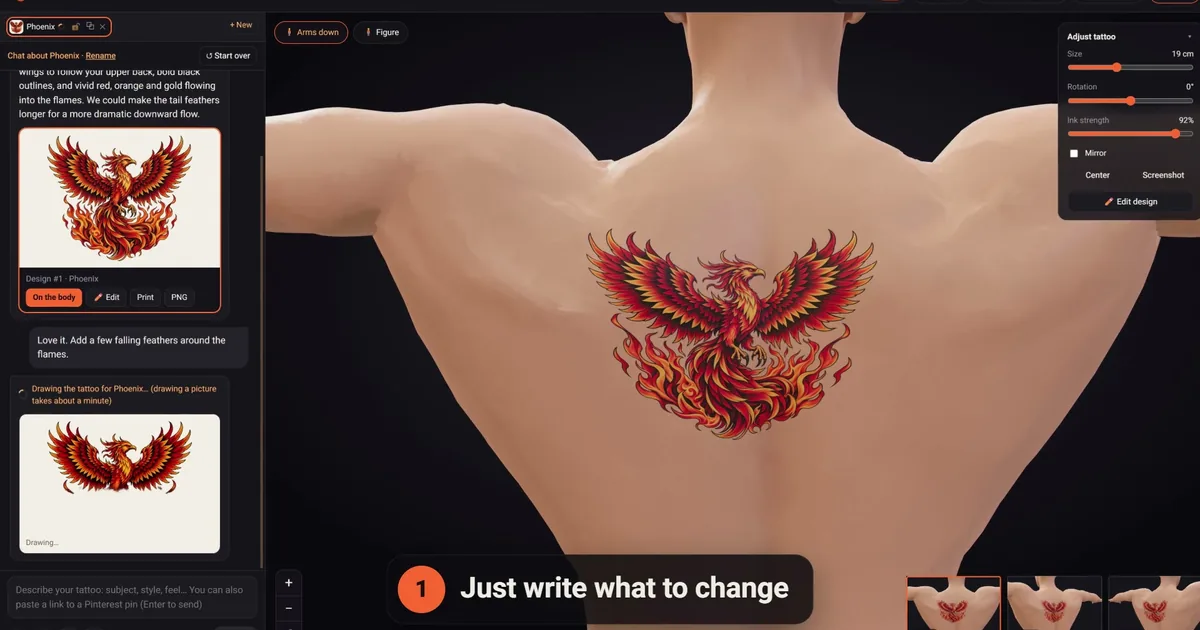
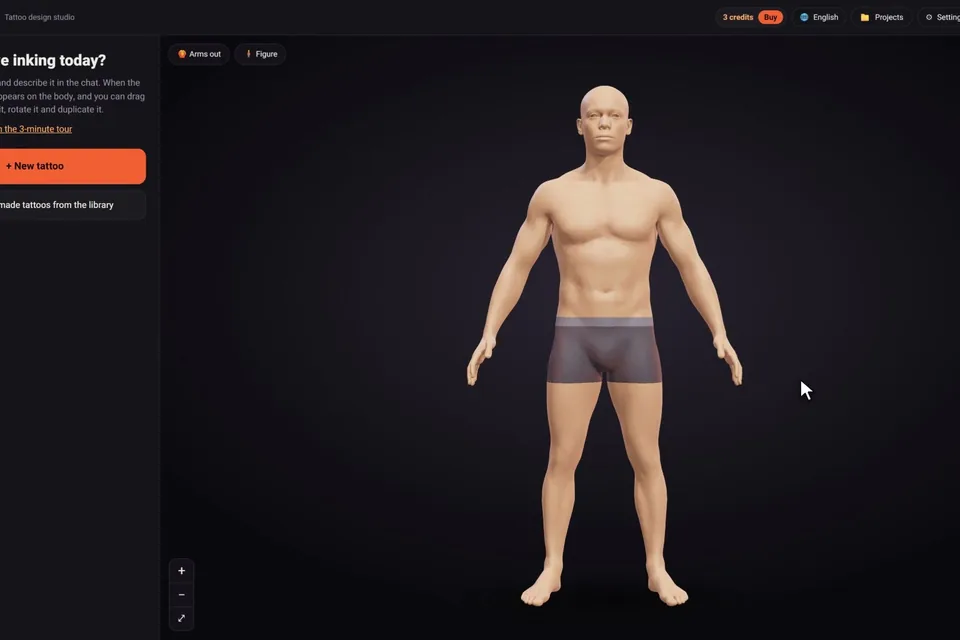
You may not need to install anything. A tattoo design app isn't the only option: some tools run in the browser, so there's nothing to install and the same project opens on your phone and your computer. click2ink, our own studio, works that way: there's no app to download, you sign in with Google, and your projects keep their tattoos, placements and chats on every device you sign in from. New accounts get 3 free credits, no card.
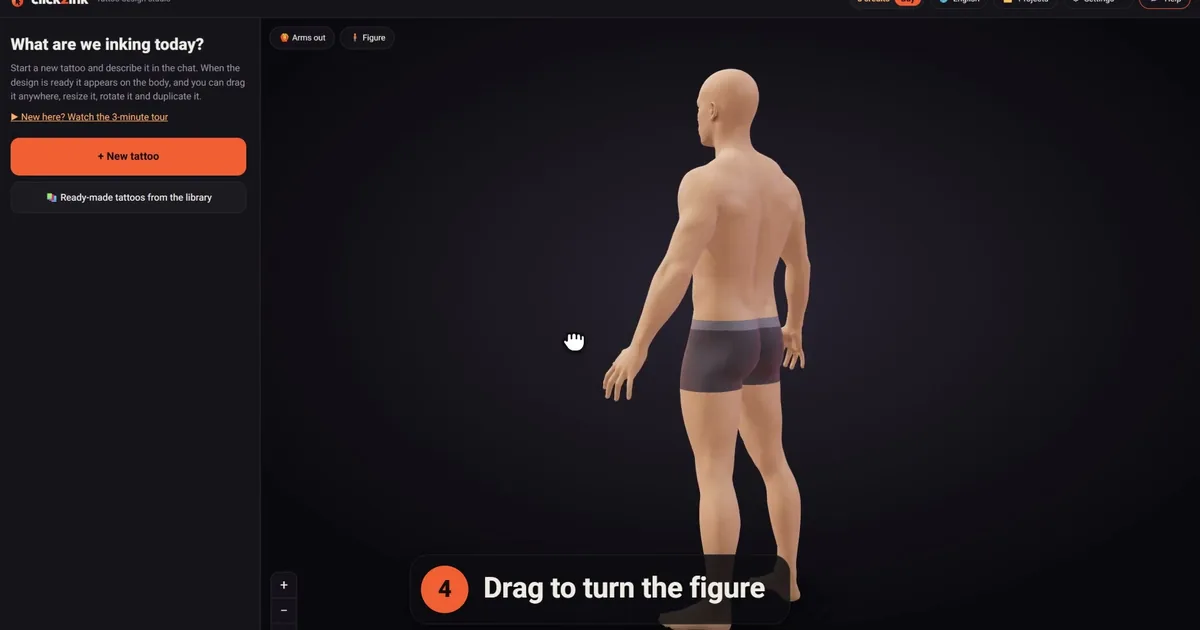
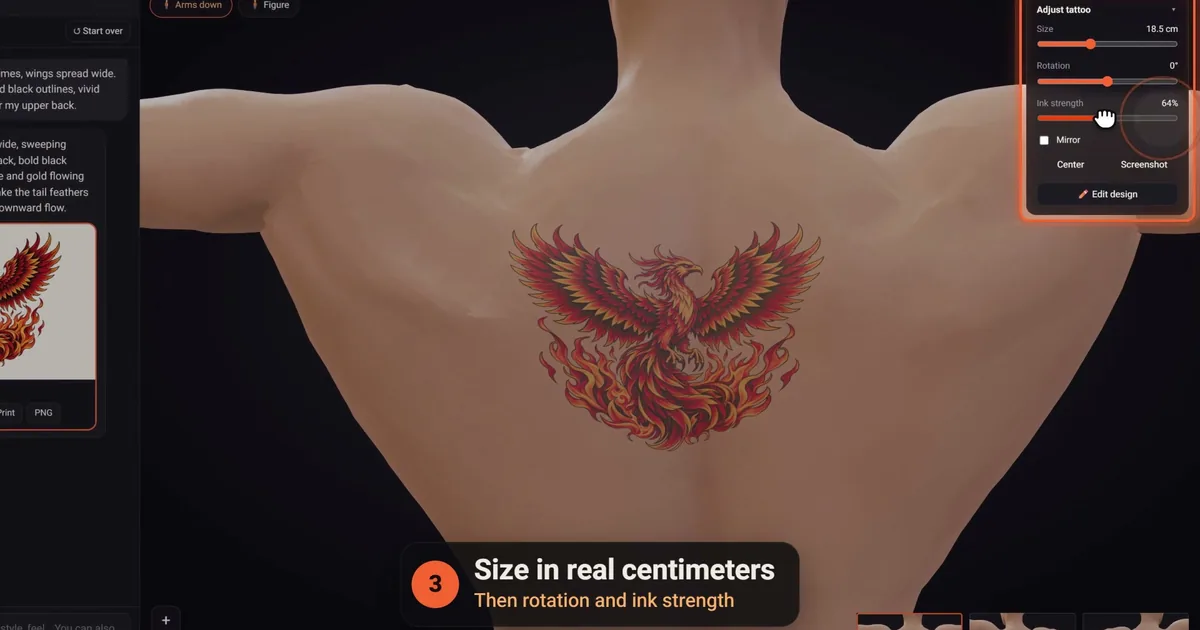
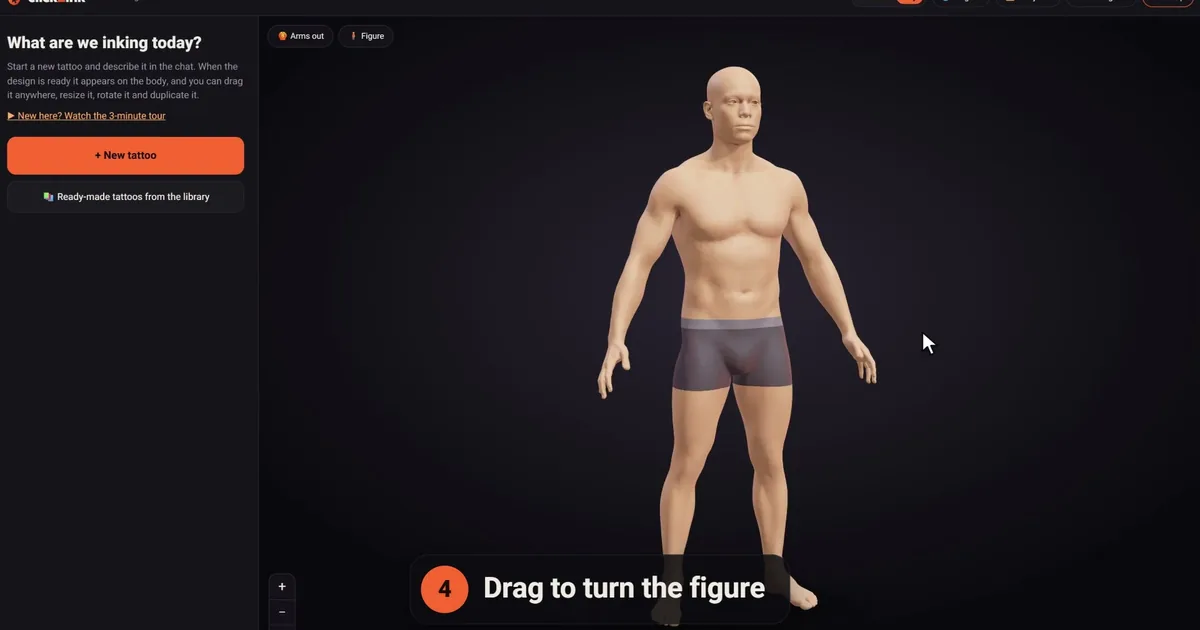
The preview is a 3D figure rather than a camera view. You pick a man or a woman, the build, the height and one of six skin tones, or use "Make it look like me" with your own height, weight, build and skin tone and, if you like, a photo of your face that never leaves your device. Then you turn the figure, zoom in, and move, resize and rotate the tattoo, which is sized in real centimeters. What you give up compared with a camera app is seeing your own skin; what you gain is true scale and every angle, including the inner arms with "Arms out." The how it works page shows the whole flow.
Designing a tattoo on your phone
Whether you use a tattoo design app or a browser studio, phones are great for capturing an idea the moment you have it, and less great for judging fine detail. A few habits help:
- Describe on the phone, check on a bigger screen. Fine lines that look perfect at phone size can hide gaps and specks. Open the same design on a computer before you print.
- Zoom in on the edges. Outlines should be clean and continuous, not fuzzy.
- Turn the body, not just the design. In click2ink, the small views jump straight to each angle, which is quicker than dragging on a small screen.
- Print at 100%. Whatever the device, "Fit to page" rescales the design. A check ruler tells you the print is true.
- Write in your own language. If English isn't your first language, our AI answers in the language you write in, and the 🌐 menu translates the site.
When to stop designing and book the artist
Apps make it easy to keep tweaking forever. You're probably ready for an artist when:
- you've seen the design on a body at its real size, from the front, the side and with the arms out;
- it still reads when you squint at it from across the room;
- every letter of any text has been checked by someone other than you;
- you could hand it over without explaining a thing: the design, its real size and exactly where it goes.
From there, the artist adapts the drawing to your skin and makes the stencil. For the step before, our guide to designing your own tattoo covers the whole process, the tattoo simulator guide goes deeper on previews, and our comparison of the best AI tattoo generators helps if an AI tool is your next step.
Tattoo design apps, question by question
Are free tattoo design apps really free?
Often only to download. Many tattoo apps are free to install, with in-app purchases or subscriptions inside, so check the listing's purchases before you start. If you'd rather not install anything, click2ink runs in the browser and is free to start: 3 free credits for designs drawn by the AI, plus a free library of 450+ ready-made tattoos to try on the 3D figure.
What's the difference between a tattoo design app and tattoo design software?
Mostly the device and the depth. "Software" usually means programs for drawing and preparing artwork on a computer or tablet; "app" usually means something on your phone, often focused on ideas or previews. The line blurs, so judge any tool by the job you need done rather than its label. Our guide to tattoo design software covers the drawing side.
Can I use a tattoo design app offline?
Drawing apps often work offline, since everything happens on the device. AI design tools need a connection, because the drawing itself happens on a server. In click2ink, a design keeps going on the server even if you close the page, so you can send your message, put the phone away and come back to the finished design later.
Are AI tattoo apps better than drawing apps?
Neither is better; they suit different people. A drawing app gives you control of every line, if you can draw and have the patience. An AI tool suits people who can describe a tattoo but not draw it, and it's quicker for trying ideas. You can also combine them: get the concept from an AI, then refine the linework by hand or with your artist.
Will the tattoo look exactly like the design in the app?
Not exactly, and no screen can promise that. Ink sits in the skin, not on top of it, so lines look a little softer than on a screen, and colors read differently on different skin tones. Previewing the design on a figure in your own skin tone gets you closer, and your artist adapts the drawing to your skin.
Will my designs sync between my phone and my computer?
That depends on the app. Look for an account with cloud saving; without one, a design may live only on the device you made it on. In click2ink, projects are kept on the server with their tattoos, placements and chats, and appear on every device you sign in from with Google.
Why does a tattoo app want my camera and photos?
A camera try-on needs the camera, and uploading a reference picture needs access to your photos. Those requests make sense for those features. Be wary of permissions that don't match what the app does, and check the privacy section of the store listing to see what data it says it collects.
How do I cancel a tattoo app subscription?
Cancel it through the store you bought it from, not by deleting the app. On an iPhone, open Settings, tap your name, then Subscriptions. On Android, open your subscriptions in Google Play. Google's help page notes that uninstalling an app doesn't cancel its subscription.
Does a tattoo design app show the real size?
Only if it measures in real units. On a photo or a live camera view, the size of a design depends on how far away the camera is, so treat it as a rough guide. In our studio, tattoos are sized in centimeters on a figure set to your height, and the print page adds a 5 cm check ruler so you can confirm the paper matches too.