
Your build
A man or a woman, from slim to full, with or without muscles, in six skin tones. Enter your height and weight and the figure takes your shape.
How it works
You describe the tattoo, tap the spot on the body and pick a style. The AI artist draws an original design and lays it on a 3D figure in your skin tone, where you turn it, move it and refine it until it's right. Then you take it to your tattoo artist.
3 free credits to start · no credit card · sign in with Google
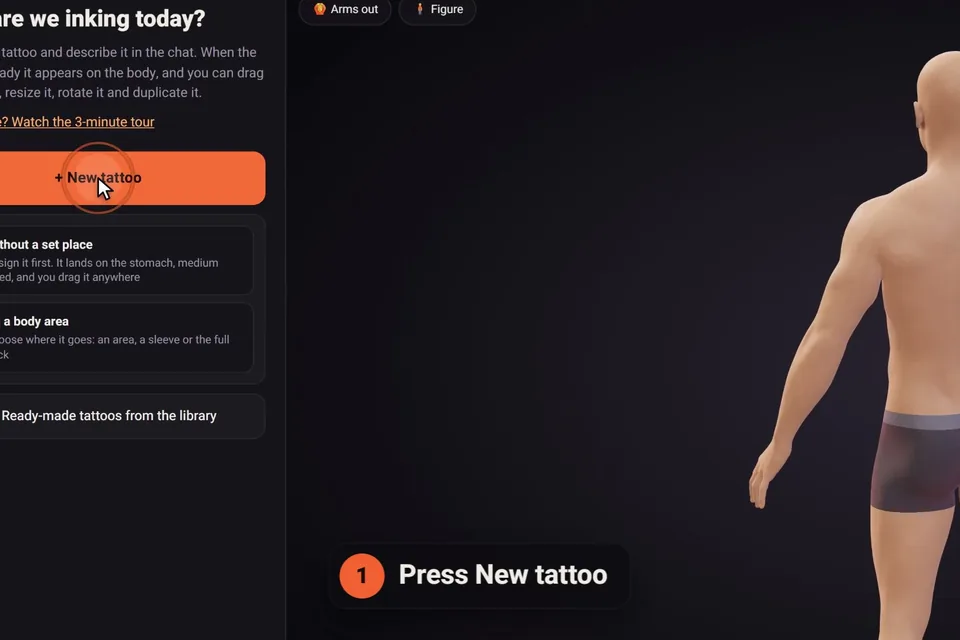
On the home page, the AI artist starts the conversation: tell it what you have in mind, then answer three quick questions. In the studio, "+ New tattoo" asks the same four questions for a project's first tattoo, and every tattoo after it starts from "+ New".
Each tattoo has its own chat, so you can work on a chest piece and a forearm piece side by side without mixing them up.
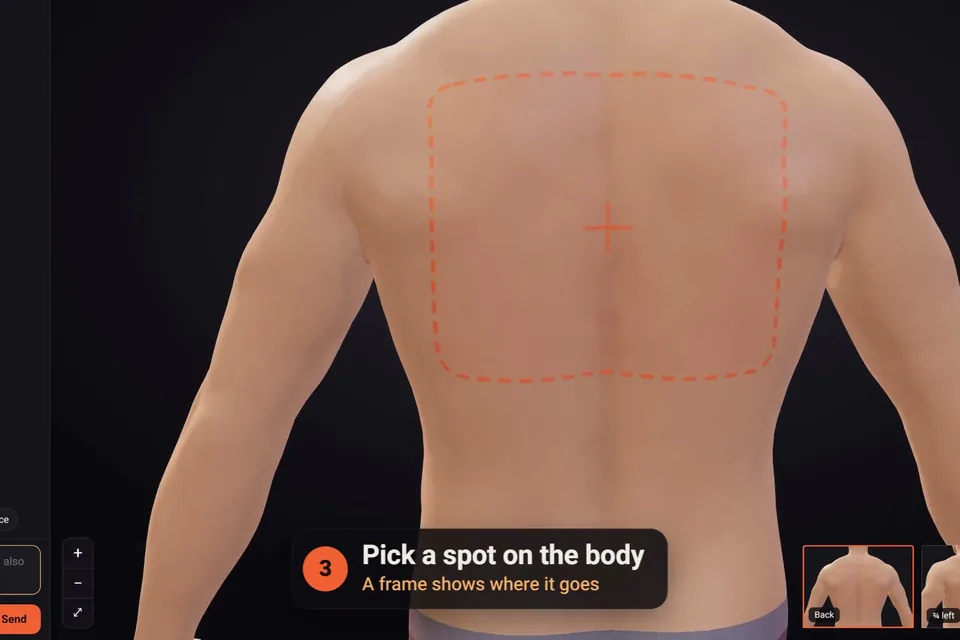
A small figure, front and back, shows every area: chest, stomach, ribs, upper and lower back, the back of the neck, shoulders, upper arms, forearms, hands, thighs, calves, ankles and feet. Tap one and its name appears, so there's no doubt about left and right.
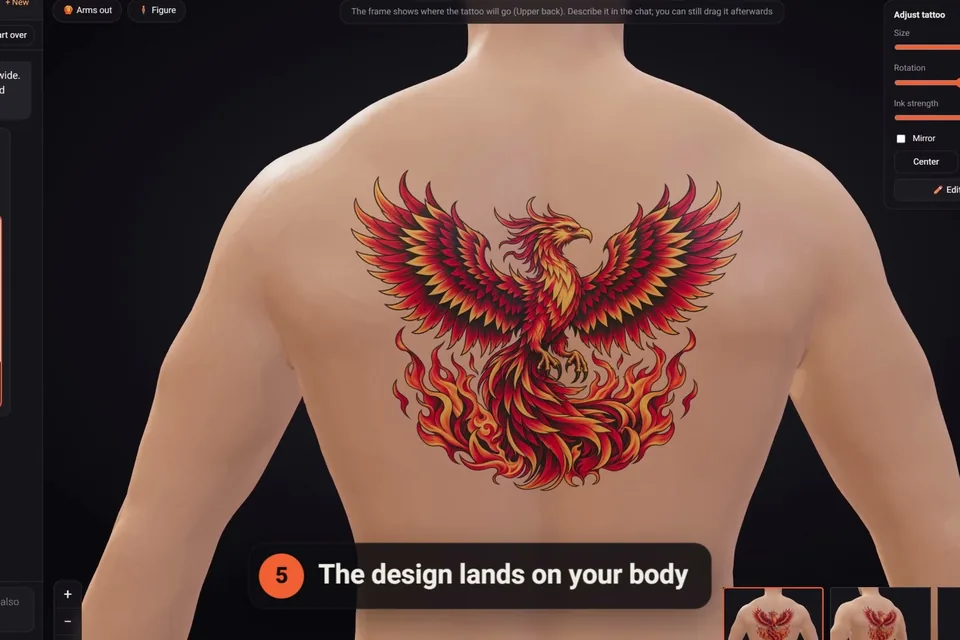
Planning something big? Choose a full sleeve, a half sleeve, a forearm sleeve or a leg sleeve, on either side, or a full back piece. Not sure yet? Say so: the design lands on the stomach and you drag it anywhere afterwards.
Choose from 16 styles, each shown with an example from our library: fine line, minimalist, black and grey realism, colour realism, American traditional, neo-traditional, Japanese, blackwork, dotwork and mandala, geometric, tribal, Polynesian and Maori, illustrative etching, lettering and script, ornamental and biomechanical. Or let the artist choose.
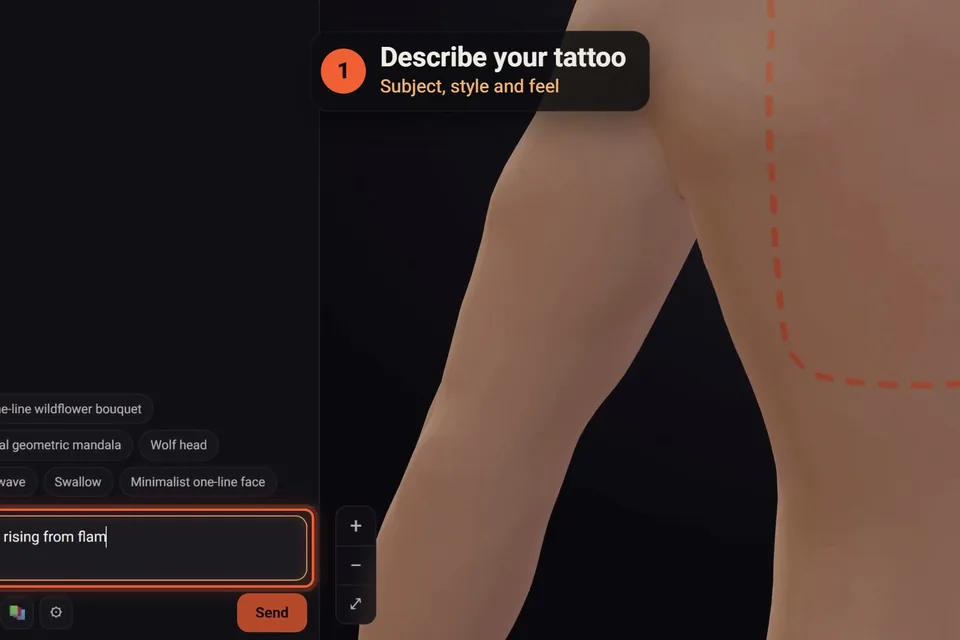
Then describe it in your own words, in any language: the subject, what surrounds it, any words or dates, the feel. "A swallow in flight carrying a ribbon with my mother's name" gives the AI far more to work with than "a bird".
A screenshot of a tattoo you love, a sketch on paper, a Pinterest pin: attach it and say what the AI should take from it. The idea, its style, or that exact tattoo. Given a photo of a tattoo on someone's skin, the AI lifts the design off the skin and redraws it as clean artwork.
Each message to the AI uses one credit, and every new account starts with three.
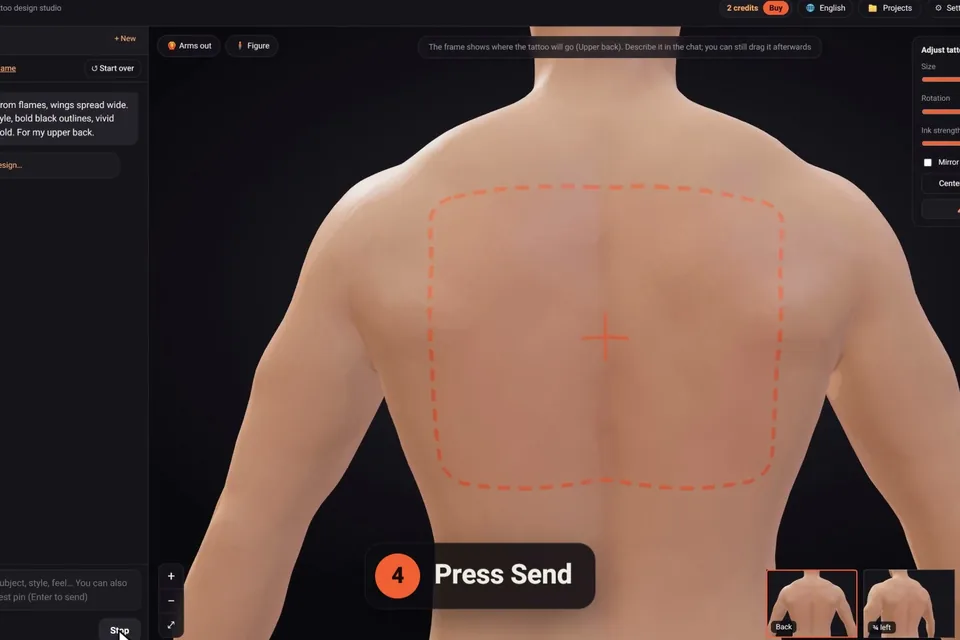
A design usually takes one to three minutes; a sleeve or a large back piece, four to six. It keeps drawing on our server even if you close the page, and it's waiting when you come back.
Every design is drawn from scratch for your request, with linework that holds up in skin and no white ink unless you ask for it: on skin, "white" is simply bare skin, so the highlights come from your skin tone.
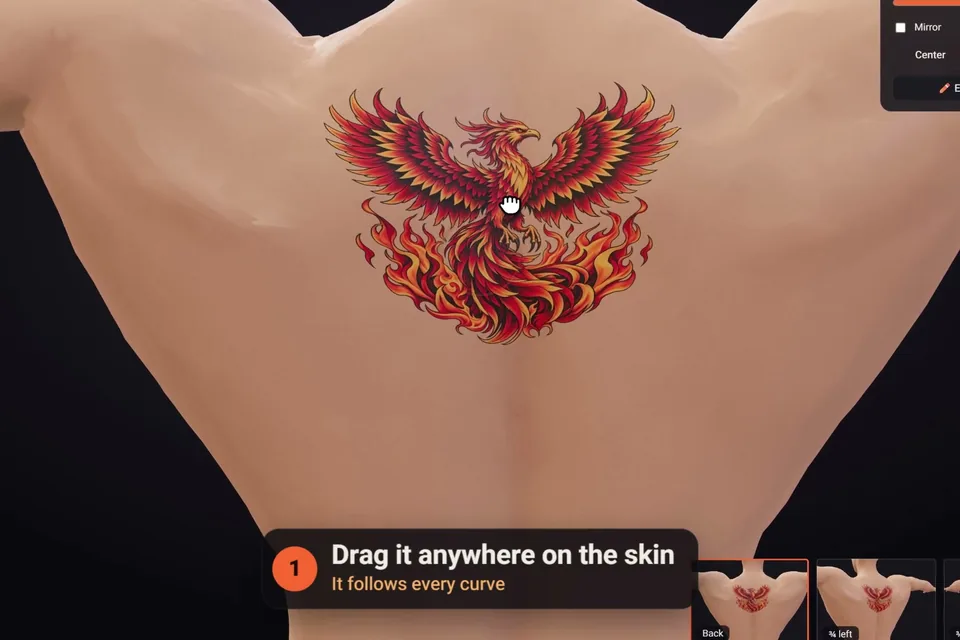
Drag the tattoo anywhere on the skin, or double-click a spot to jump it there. The adjust panel sets its size in real centimetres, its rotation and its ink strength, wraps it around a limb or mirrors it. Raise the figure's arms to check the inner arm and the ribs, and use the small views to jump to every angle.
Sleeves wrap all the way around the arm or leg. Shorten them, slide them along the limb, turn them, or let them flow onto the chest and back.
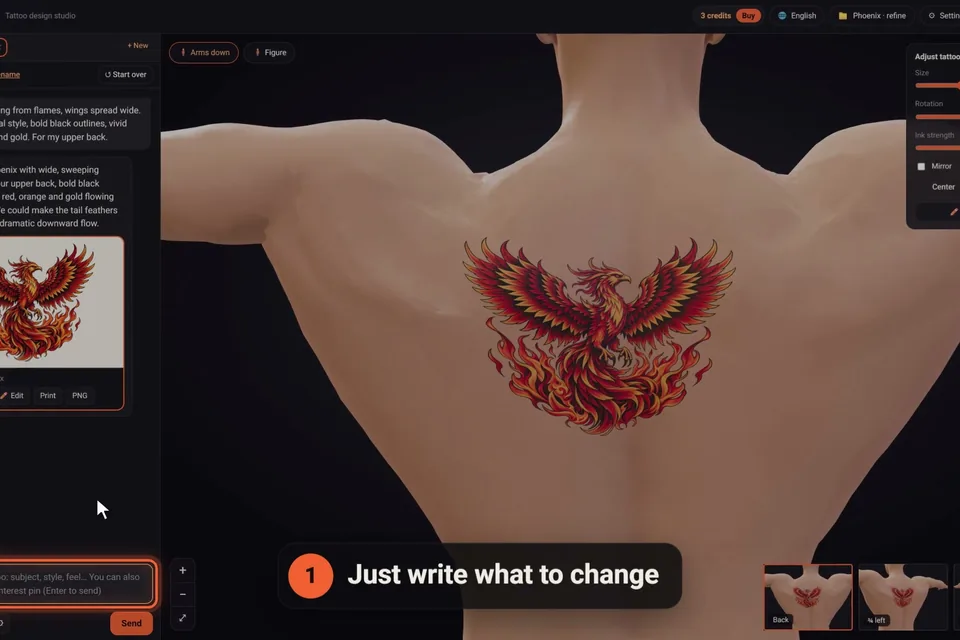
Just write what to change: "thinner lines", "remove the small stars on the left", "add a moon above it". The AI changes only that and keeps the rest, and it remembers everything you've asked for since the start of the chat. One-tap changes sit under the newest design: more detail, simpler, add colour, black and grey, another version.
Every version keeps its number, so going back to an earlier one costs nothing. For hand edits, the editor erases and restores, cleans stray specks, crops and stretches, adjusts the ink and adds a name or a date, with no credit used.
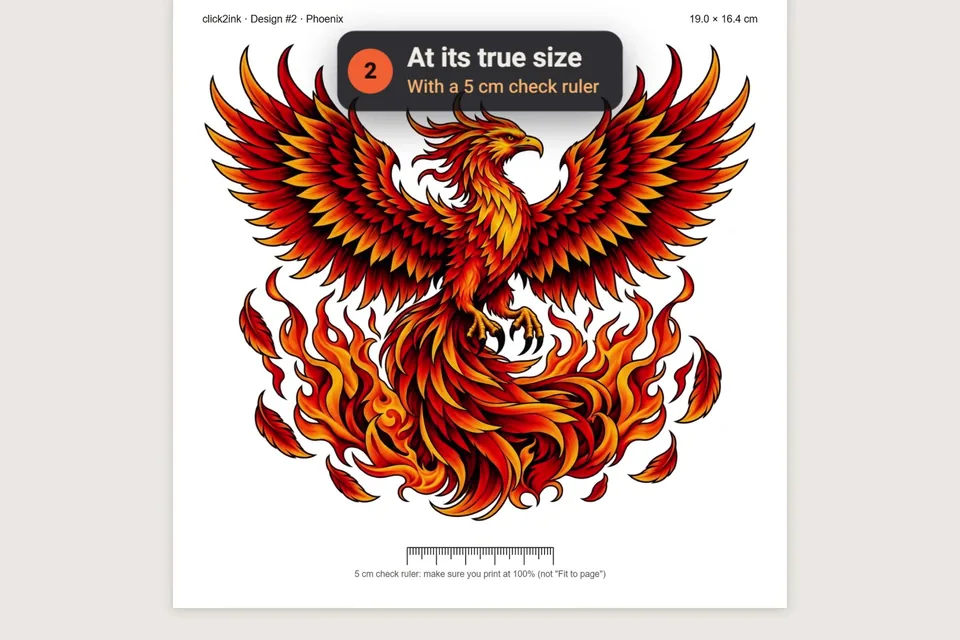
Print a stencil at the exact size you chose on the body, with a 5 cm check ruler so you know the print came out right. Download the design as a PNG. Send a share link that shows just the figure and its tattoos in 3D, without your chats.
click2ink is where you decide. Your artist still adapts the design to your skin, and does the tattooing. Read more about bringing an AI design to a tattoo artist.
The more the figure looks like you, the better the decision. All of it is optional, and you can change it any time.
A man or a woman, from slim to full, with or without muscles, in six skin tones. Enter your height and weight and the figure takes your shape.
With your height set, tattoo sizes are in real centimetres on your own body, so a 12 cm design on the screen is a 12 cm tattoo.
Add a photo and your face and hair go on the figure. The photo is read in your own browser and never leaves your device; it's never sent to the AI.
Want more? Our guides cover how to describe a tattoo to an AI, where a tattoo sits best and how big it should be.
And if you'd rather start from something ready, the library has 450+ tattoos drawn for click2ink, by body area or by style. They're free to place, and the AI can adapt any of them for you.
Usually one to three minutes. A full sleeve or a large back piece can take four to six. The drawing goes on on our server even if you close the page or reload it, so you can come back to it later.
No. Start with a feeling or a subject and let the AI make a first proposal, then steer it. You can also browse the library for ideas, or tap one of the idea suggestions and change it from there.
Yes. Choose "I'll decide later" and the first design lands on the stomach at a medium size. From there you drag it anywhere on the body, and its area follows it.
Tell the AI what you don't like, or tap "Another version" under the design. Every version stays in the chat with its number, so you can always put an earlier one back on the body, for free.
Yes. Each tattoo has its own chat, and several can be designed at the same time. The tattoos bar shows which ones are being drawn and which have a new reply.
Yes, in the browser on any phone, tablet or computer: there's nothing to install. Your projects are saved on our server and are there on every device you sign in from.
Yes. The library's 450+ designs go on the body with one click and cost nothing. Want one changed? The AI adapts it for you in the chat, which uses a credit like any message.
You bring a high-resolution design, a stencil printed at its true size and a 3D share link. Most artists adapt any reference to your skin before tattooing, and some prefer to redraw it in their own hand: ask yours when you book.
3 free credits to start · no credit card · sign in with Google
Start designing for free