
Make it look like you
Your height, weight, build and skin tone shape the figure. Add a photo and your face and hair go on it too. The photo is read in your own browser and never leaves your device.
Features
An AI artist that draws original tattoos, a 3D body that wears them like real ink, and the tools to take the result to your tattoo artist. Here is everything the studio does.
You talk to it like you would to an artist across the counter, in any language. It draws an original design for every request, and it keeps track of the whole conversation: ask for "no flowers" in your first message and it still knows ten messages later.
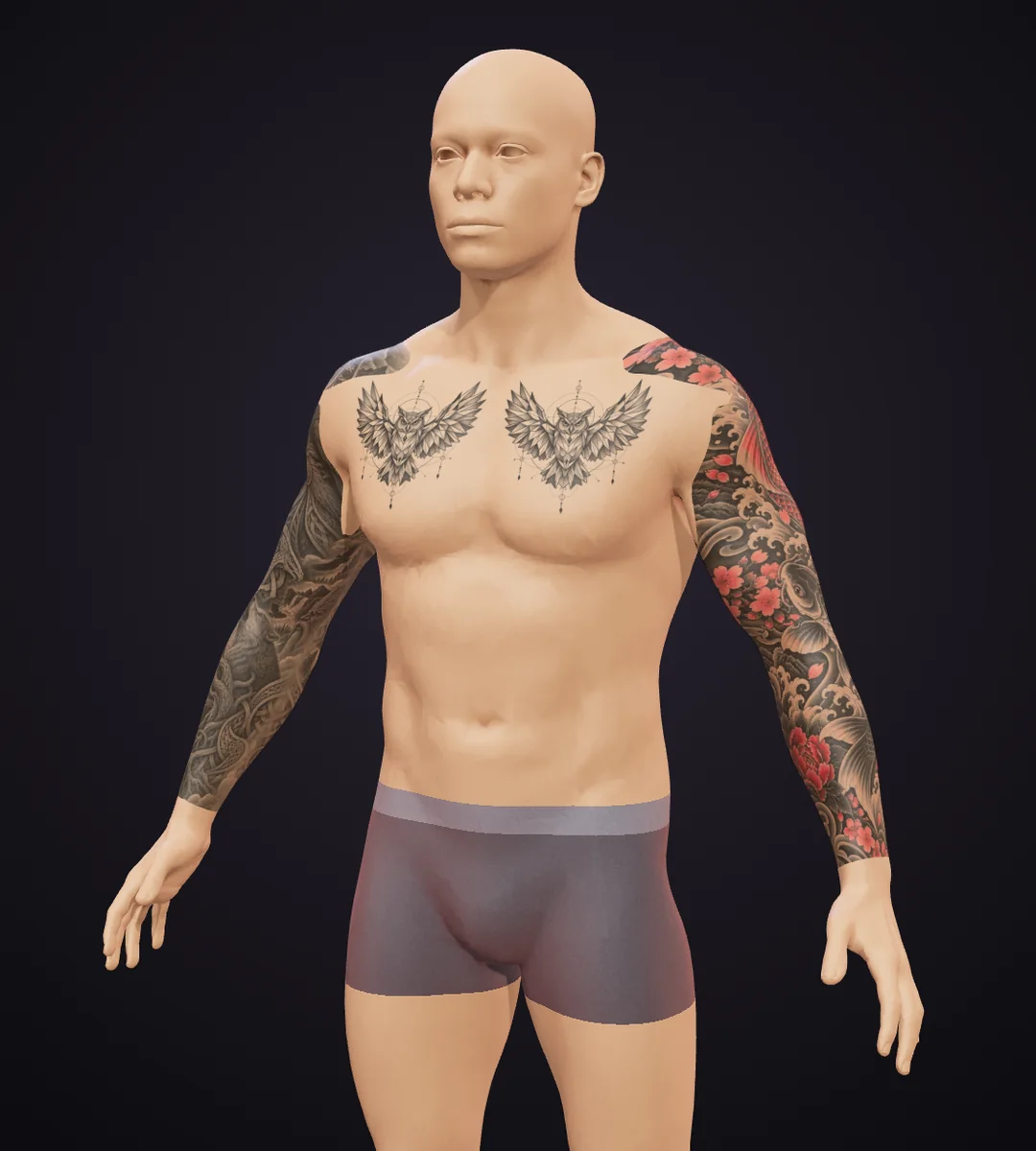
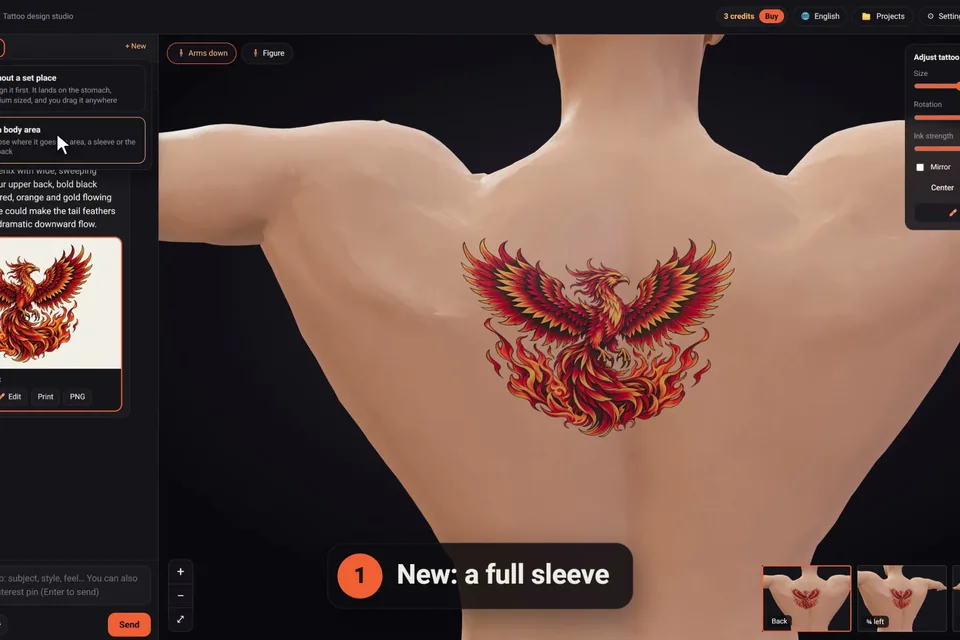
The tattoo follows every curve of the body, the way ink does, not a sticker pasted on top.
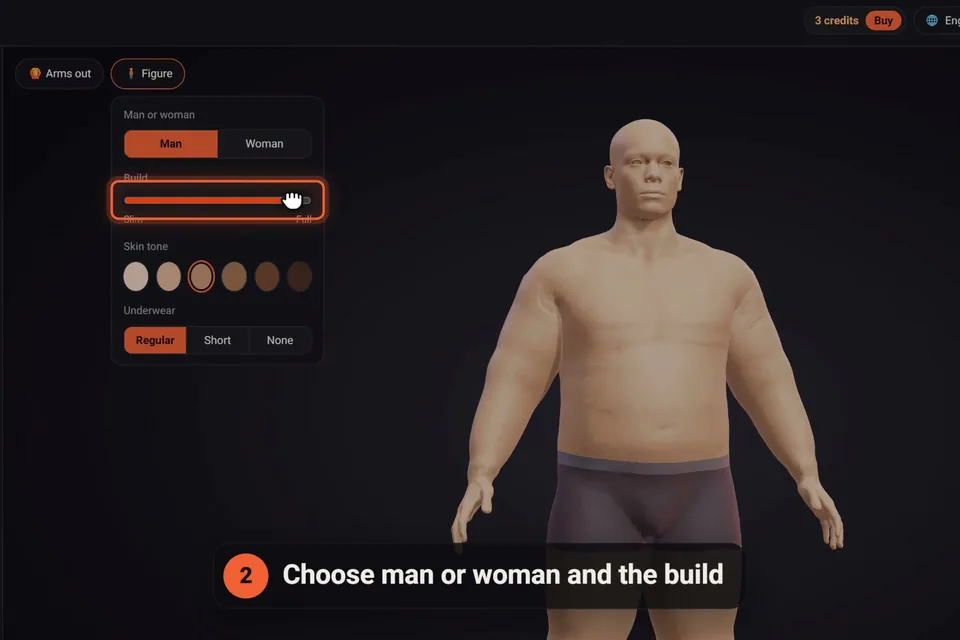
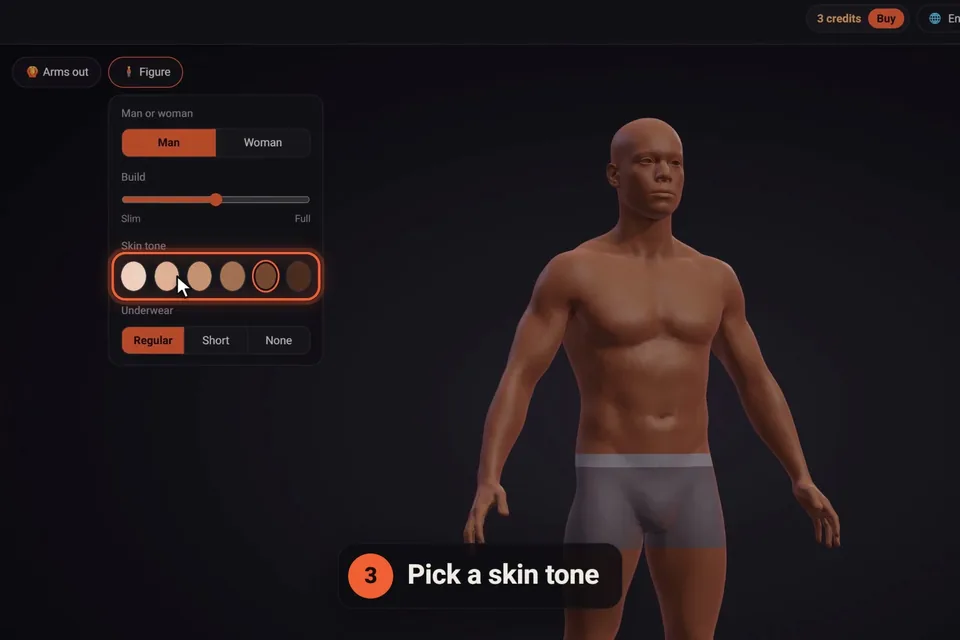
Your height, weight, build and skin tone shape the figure. Add a photo and your face and hair go on it too. The photo is read in your own browser and never leaves your device.
With your height set, sizes are true to your body: what you see is the size you'll ask your artist for.
Turn and zoom the figure, raise its arms to see the inner arms and the ribs, and jump between the small views.
Underwear can be regular, short or none, for hips, buttocks and groin pieces; on the woman, the bra can come off for chest and under-bust work.
Drag a tattoo anywhere, double-click to jump it to a spot, set its size, rotation and ink strength, wrap it around a limb, mirror it, lock it in place.
Each tattoo has its own chat. Duplicate one to try a variation, and design several at the same time.
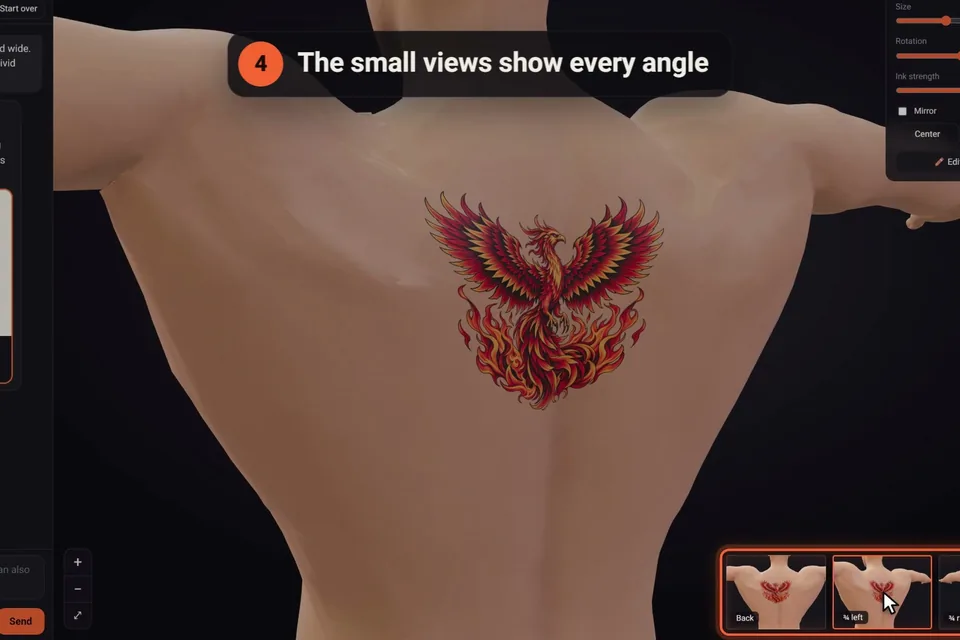
The small views under the figure jump straight to the front, the sides and the back of the tattoo, and the arms-out pose shows the places people forget to check: the inner arm, the side of the ribs, the back of the shoulder.
Our tattoo simulator guide explains what to look for from each angle.
A sleeve is one continuous design wrapped all the way around the arm or leg, drawn in a single piece so it joins up on the inner side. Choose a full sleeve, a half sleeve, a forearm sleeve or a leg sleeve, on either side, or a full back piece from the shoulders to the lower back.
On the body you can shorten a sleeve, slide it along the limb, turn it around the arm, and let it flow past the shoulder onto the chest and back, or past the hip, fading out. The library has 20 ready-made sleeves to start from. More in our guide to sleeve tattoos.
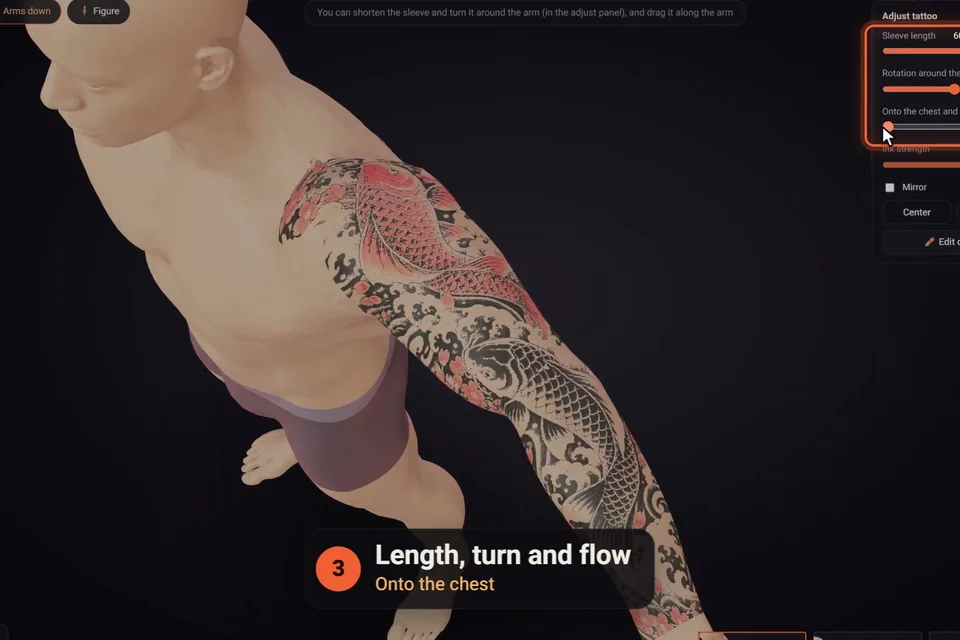
The AI plans a sleeve the way an artist would: two or three main subjects stacked along the outer side of the arm, joined by a background of waves, clouds, smoke or patterns that wraps round to the inner side.
Write what to change and the AI changes only that, keeping the rest of the design as it was. Under the newest design, one tap asks for more detail, a simpler version, colour, black and grey, or another version.
Every design keeps its number in the chat. Put an earlier one back on the body for free, or ask the AI to go back to it and change something there.
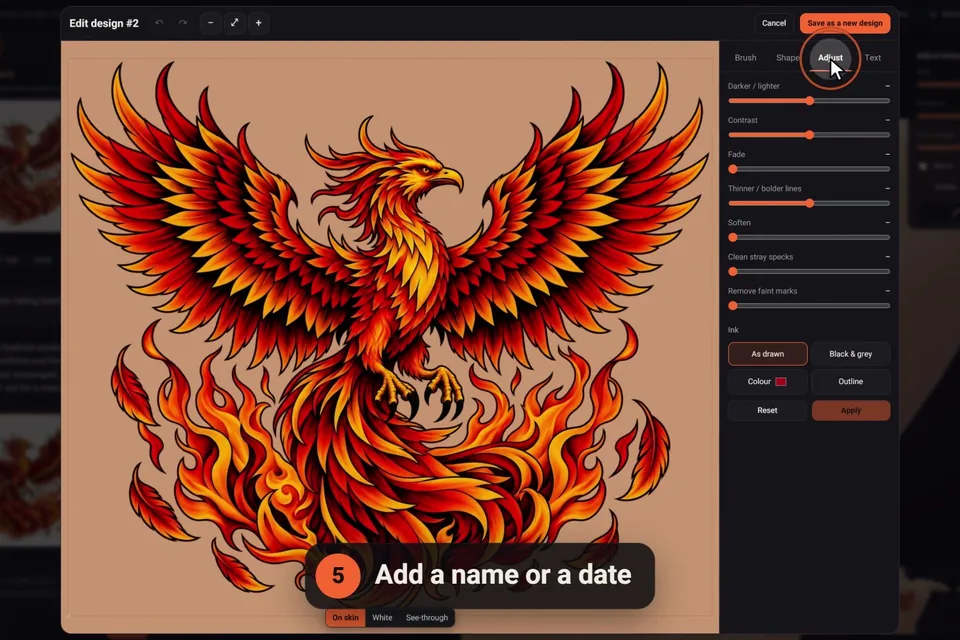
"✏️ Edit" opens the design in the editor, on its "Edit with AI" tab: the tattoo's own chat, right there. The other tabs work by hand, with no credit used: erase and restore, clean stray specks, flip and mirror, crop and stretch, adjust the ink's tone and contrast, turn it black and grey or into an outline, and add a name or a date in one of several lettering styles.
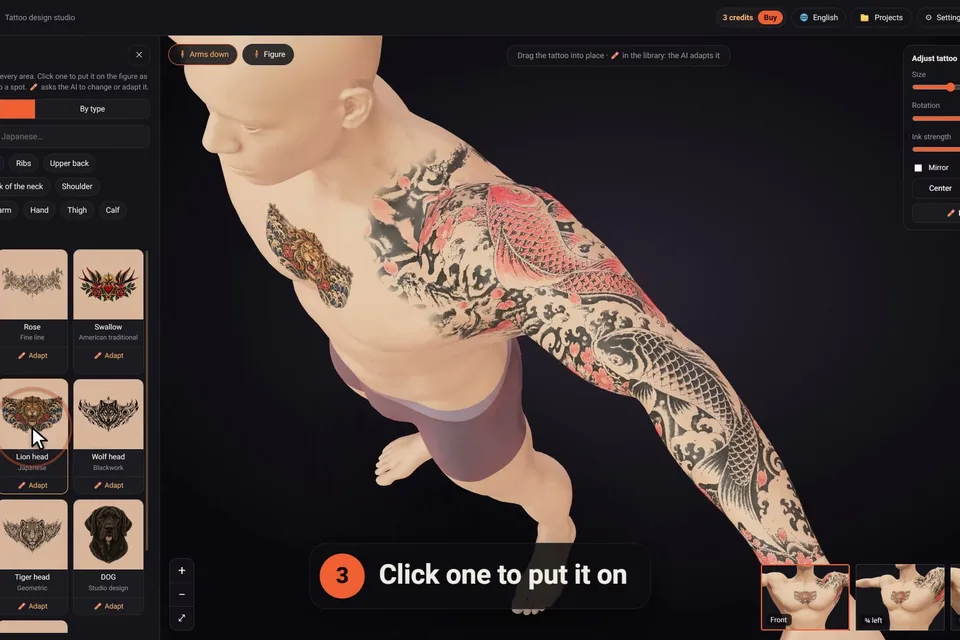
Ready-made tattoos drawn especially for click2ink, by body area or by type: tribal, Japanese, geometric, Maori, fine line, zodiac, realism, ornamental, sleeves and more. Search them, click one to put it on the figure, or drag it to a spot. Placing library tattoos never uses a credit.
Like one but not quite? The ✏️ on a library tattoo asks the AI to adapt it: a different flower, your initials, a calmer background.
We wrote a whole guide on stencils and another on working with your artist from an AI design.
| Feature | What it does | Uses a credit? |
|---|---|---|
| A message to the AI | A new design, a change, a tattoo lifted from a photo | Yes, one |
| One-tap changes | More detail, simpler, colour, black and grey, another version | Yes, one each |
| Library tattoos | 450+ ready-made designs on the body | No |
| The 3D figure | Build, skin tone, height, your face, poses, views | No |
| Placing and adjusting | Move, size, rotate, wrap, mirror, lock, duplicate | No |
| The editor by hand | Erase, clean, crop, stretch, ink, outline, text | No |
| Earlier versions | Put any design from the chat back on the body | No |
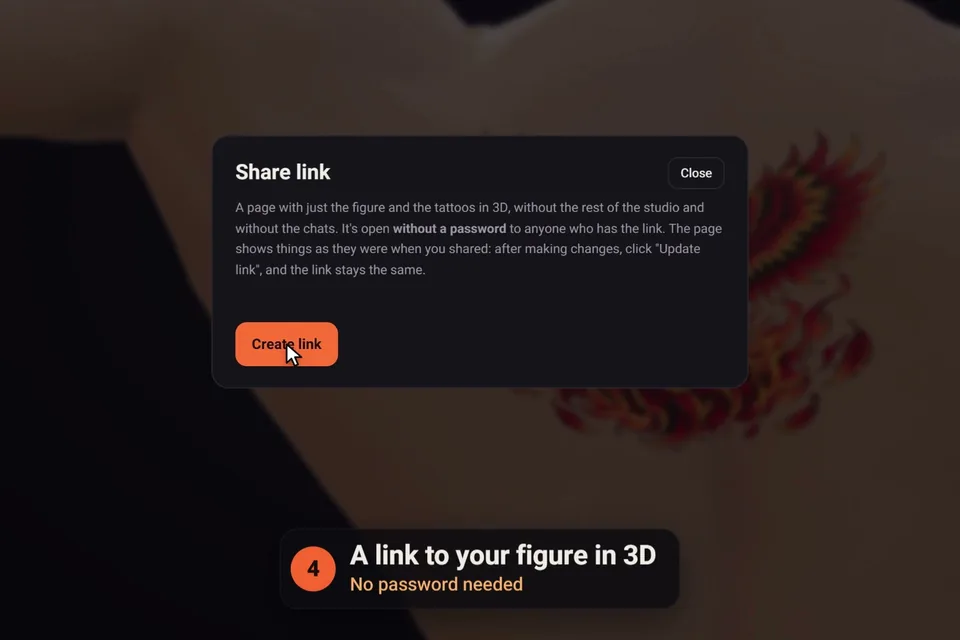
| Print, download, share | True-size stencil, PNG, 3D share link | No |
| Projects | Several projects, saved on our server, on every device | No |
| Languages | The site translated from the 🌐 menu; the AI replies in your language | No |
Every account starts with 3 free credits. After that, packs start at $5 for 10 credits, paid once: see pricing.
No. It runs in the browser on computers, tablets and phones. Sign in with Google and your projects, tattoos and chats are saved on our server, so they're there on every device you use.
Not with a camera: click2ink shows the tattoo on a 3D figure rather than over a live camera picture. You can make the figure like you, with your height, build, skin tone and even your face, so you see the design on a body close to yours from every side.
Not unless you ask. On skin, white in a design would just be bare skin, so the AI builds highlights from your skin tone and open space. If you want real white ink highlights, say so in the chat.
Yes. The ✏️ on any library tattoo sends it to the AI with your request, such as a different flower or your initials worked in. It's a message to the AI, so it uses a credit; placing the original is free.
Print a stencil at its true size with a check ruler, download a PNG, and send a 3D share link. Together they show your artist the design, its size and exactly where it sits on the body.
No. Your photo is read in your own browser and never leaves your device. Only a picture of the face, made from it, and a few numbers for the hair are kept with your project, private to you, and they are never sent to the AI or shown on a share link.
Yes, as many as you like. Each has its own chat and can be moved, duplicated, locked or removed from the tattoos bar, and several can be designed at the same time.
3 free credits to start · no credit card · sign in with Google
Start designing for free