Best AI tattoo generator: an honest guide from people who make one
Search for the best AI tattoo generator and you'll find plenty of rankings, some of them written by companies that sell one of the tools they rank. We make one too: click2ink. So instead of another top ten, here are the tests that separate a tattoo-ready design from a pretty picture, a fair look at some popular options, and a fifteen-minute trial you can run on any of them.
Seven tests that decide the best AI tattoo generator for you
"Best" depends on what happens after the image appears. A design that wins on a phone screen can still lose at the studio. These are the tests that matter once it's headed for skin:
| Test | How to check it | Red flag |
|---|---|---|
| Linework that holds up | Zoom right in on the outlines | Fuzzy, sketchy or broken edges |
| Skin, not paint | Look at the highlights and the background | White highlights, glow effects, a painted scene behind it |
| Edits that keep the rest | Ask for one small change | The whole design changes with it |
| Placement preview | Put it on a body at its real size | Only a flat image, or a mock-up with no scale |
| True-size output | Print it and measure | No print option, or no way to set the size |
| Privacy and rights | Read the help and terms pages | Designs public by default, vague usage rights |
| Predictable cost | Work out the price of one finished design | A renewing subscription for a one-off tattoo |
No tool aces every row for every person. Someone brainstorming flash ideas cares about speed and variety; someone planning a half sleeve cares about placement and edits. Decide which three rows matter most to you before you compare anything.
Know which kind of tool you're testing
Many of the tools in these rankings aren't really competing with each other, because they do different jobs:
- General image generators draw anything from a sentence. They're great for mood and composition, but they aren't built for skin, so expect to fight backgrounds, glows and white highlights.
- Tattoo generators wrap an image model in tattoo styles and settings. Some give you a flat design only; others add a try-on step.
- Try-on and preview tools show a design on a photo, a camera view or a model. You bring the design; they show the placement. Our tattoo simulator guide covers what to look for.
- Design-and-preview studios draw, change and place the design in one place, so each change shows up on the body straight away.
Knowing the category saves you from judging a try-on app on its drawing, or a drawing tool on its preview.
A fair look at some popular options
Here is what each maker says about its own tool, checked on its own site. Features and prices change often, so confirm the current details before you commit.
Adobe Firefly tattoo generator
Adobe's tattoo generator page says you can type a prompt or upload a reference (a photo, a sketch or AI art), explore variations, remix favorites, then download the result or send it to your tattoo artist. It names styles including realism, traditional, blackwork, minimalist and Japanese. Adobe says it's free with an Adobe account, with free daily generations and paid plans for more, and calls the output commercially safe, a point that matters to artists.
Fotor AI tattoo generator
Fotor's page says it works from a text prompt or an uploaded image, keeping the main shapes and lines of what you upload, and lists styles including fine line, traditional, geometric, realism, tribal, Japanese and dotwork. It describes a try-on simulator for spots like the forearm, chest and back, downloads without watermarks, and free online use with no sign-up.
InkStudio.ai
InkStudio.ai says you choose a style, describe the idea and see the design on a model at your chosen placement and skin tone. It lists a personal-photo 3D try-on and transfer-style linework your artist can adjust. It sells one-time access passes that include AI credits, with no auto-renewal.
click2ink (our own studio)
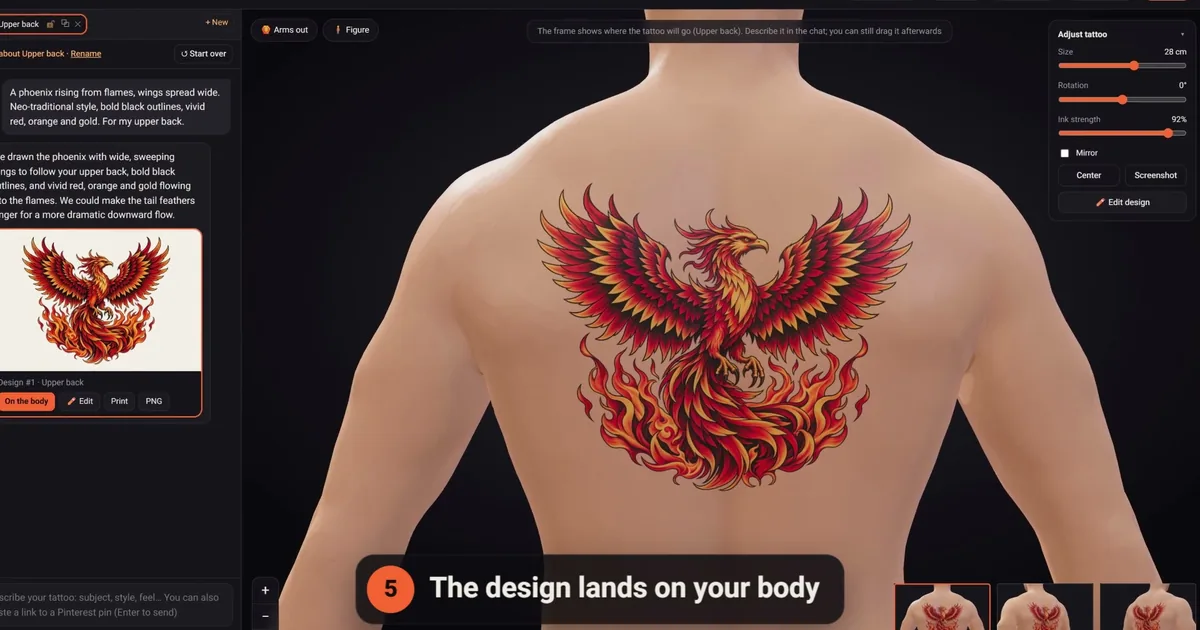
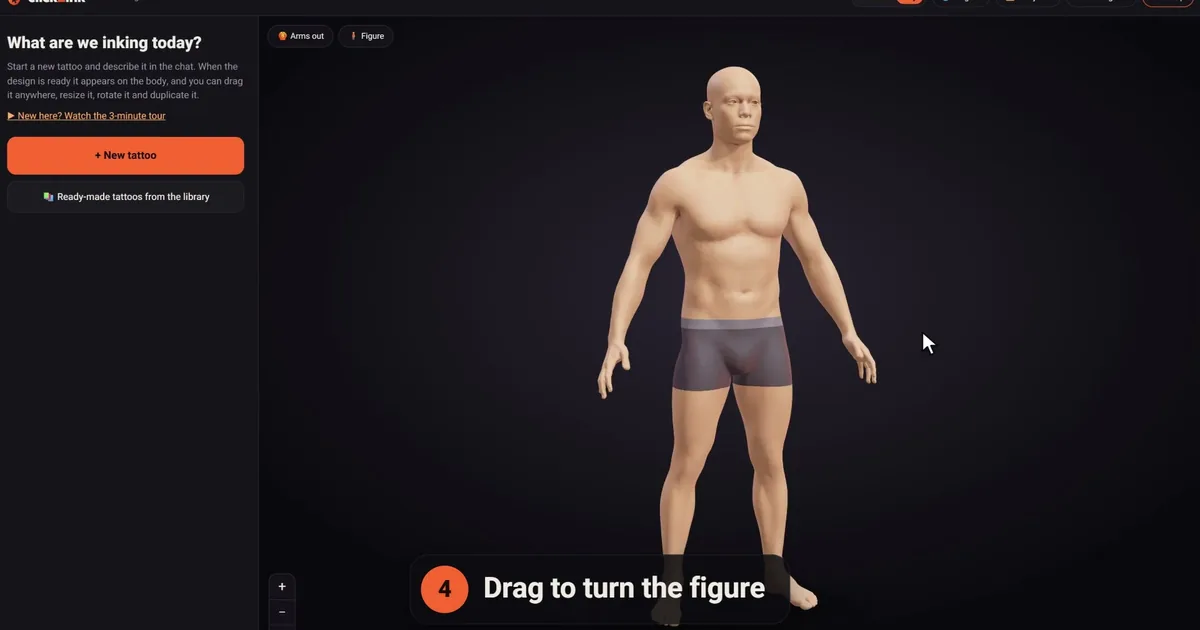
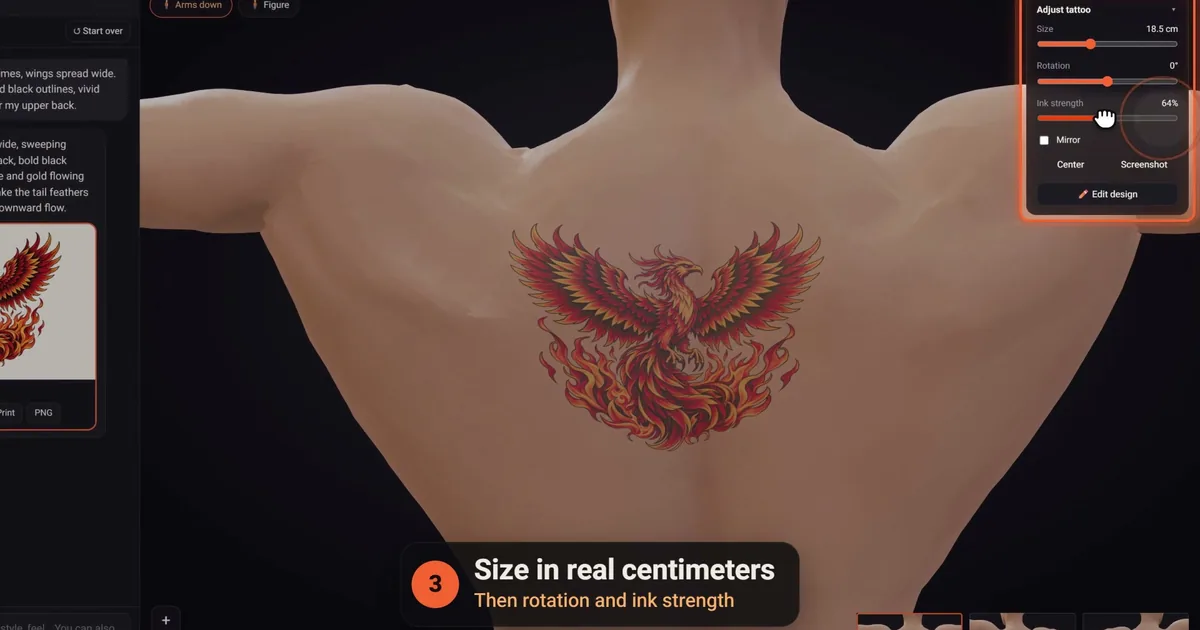
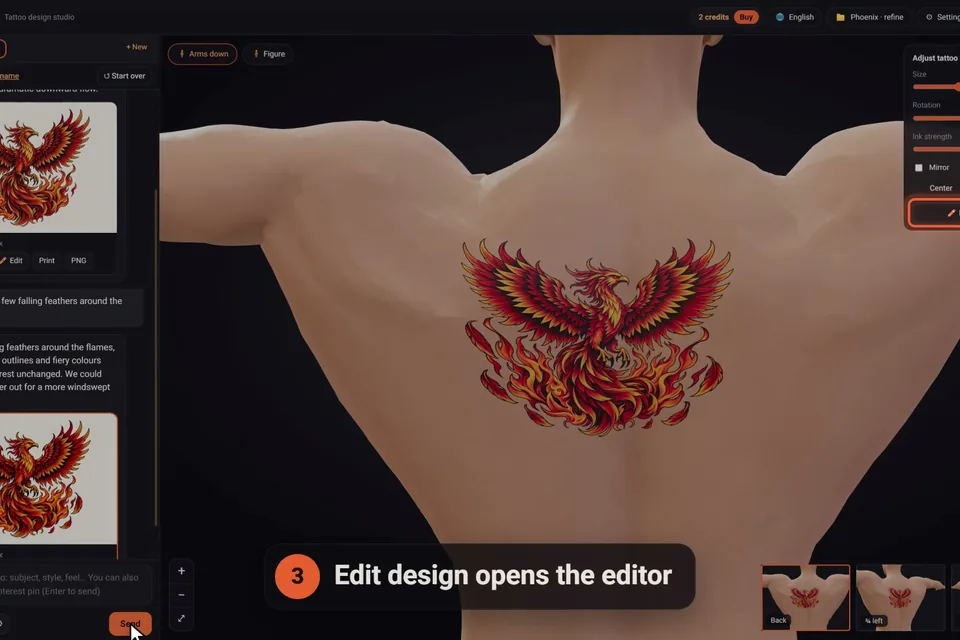
You answer four quick questions (where on the body, which of 16 styles, a description and an optional picture), and the AI artist draws an original design that lands on a 3D figure, sized in real centimeters to your height. You can make the figure look like you, change one detail at a time, wrap sleeves around the whole limb and print at true size. It runs in the browser on computers and phones. You start with 3 free credits, then buy one-time packs if you want more; how it works shows each step in pictures.
Where click2ink is strong, and where it isn't
We'd rather you pick the right tool than pick ours for the wrong job. Here is the honest version.
Where it's strong: seeing the tattoo on a body before you book. The figure takes your height, build and skin tone, and you turn it, zoom in and drag the design to the exact spot. When you ask for a change, the AI changes only that and keeps the rest; every design keeps its number, and an earlier one goes back on the body for free. Sleeves are one continuous design around the arm or leg. The editor's hand tools (erase, flip, crop, black and grey, outline, adding a name or a date) cost no credit, and there's no subscription to cancel later.
Where another tool fits better: if you want to try a tattoo on your own skin through the phone camera, we don't do that; the 3D figure is our preview. There's no app to install either. If you want to draw linework yourself from a blank page, a drawing app suits you better. And each message draws at most one design, so for rapid-fire brainstorming, a tool that returns several variations per prompt is quicker.
Run your own fifteen-minute test
Rankings can't tell you how a tool handles your idea. This trial can:
- Write one test prompt and use it everywhere. Try: "A swallow carrying a small banner that reads home, American traditional, bold black outlines, red, yellow and green, for the outer forearm, about 12 cm tall, no background." It tests style, color, size and spelling at once.
- Zoom in. Look at the outlines, the feathers and every letter of the banner.
- Ask for one change. "Make the banner blank and keep everything else." Did the swallow survive untouched?
- Check the whites. Bare skin should do the highlighting, with no white paint and no scenery behind the bird.
- Put it on a body. Where the tool allows, look from the side, not just the front.
- Print it at size and measure it. Twelve centimeters on screen should be twelve on paper.
- Read the terms. Privacy, rights and billing, before you pay or upload anything personal.
Whichever tool gets through all seven with the least fuss is the best AI tattoo generator for your project. If you want the free route first, our guide to free AI tattoo generators covers the usual catches; if you'd rather work on your phone, see choosing a tattoo design app.
Before you choose: questions about the best AI tattoo generator
Which AI tattoo generator do tattoo artists prefer?
Artists differ, and we know of no reliable survey. What makes any design easier to work from is the same everywhere: clean outlines, detail that suits the size, shading that leaves bare skin instead of white paint, and a clear idea of the placement. A tool that gives you those makes the conversation with your artist easier, whatever its name. Ask your artist what they like to receive.
Can I trust "best AI tattoo generator" rankings?
Read them as opinions. Check who published the list and whether they sell one of the tools in it; a fair list says so, as we do here, since click2ink is ours. Then run the same prompt through two or three tools yourself. Ten minutes of your own testing tells you more than any score out of ten.
Is a paid AI tattoo generator better than a free one?
Not automatically. Paying usually buys more tries, larger files or privacy, not necessarily better drawing. Run the same test prompt through a free tier first; if a tool can't produce clean linework for free, paying won't fix its style. Pay when the extras solve a real problem you have, such as many rounds of changes on a final design.
Can a general image generator design a good tattoo?
It can draw a striking image, and many people start there. Ask for a plain background, bold outlines, no white highlights and a shape that suits the body part, then judge the linework closely. You'll still need another way to see it on a body at its real size, and your artist will redraw it for your skin, as with any reference.
Is there one AI tattoo generator that does everything?
Not really, because the jobs pull in different directions: fast variety for ideas, careful edits for a final design, true scale for placement and clean lines for a stencil. It's perfectly sensible to combine two tools. Ours covers design, edits, a 3D preview at real size and true-size printing in one place, but it has no camera try-on, and it isn't built for drawing your own linework from scratch.
Do AI tattoo generators keep my designs private?
Policies vary. Some show free users' designs in a public gallery, others keep everything to your account. Look for the answer in the tool's help or terms before you describe anything personal. In click2ink your projects, placements and chats are kept in your account, and a share link shows only the figure and its tattoos, never the chats, and can be revoked.
Does the AI model behind a tattoo generator matter?
Less than the rules built around it. The same model can paint a poster or draw stencil-ready art, depending on what the tool asks of it. click2ink runs on OpenAI's models, with tattoo rules on top: for example, no white ink unless you ask for it, because white on a tattoo design really means bare skin. Judge the results, not the engine's name.
Can I move a design from one AI tool to another?
Usually, yes. Download it as a PNG and attach it in the next tool. In our studio you can attach it in the chat and say what the AI should take from it, or put your own picture on the body exactly as it is, with its background removed. Check the first tool's terms if you plan to use the design commercially.
How much does a good AI tattoo generator cost?
Pricing models differ more than prices: free daily allowances, subscriptions, short passes and one-time credit packs. For a single tattoo, avoid anything that renews automatically unless you'll keep using it. Our own packs are one-time, from $5 for 10 credits, and the credits never expire. For any other tool, check the current pricing on its own site.