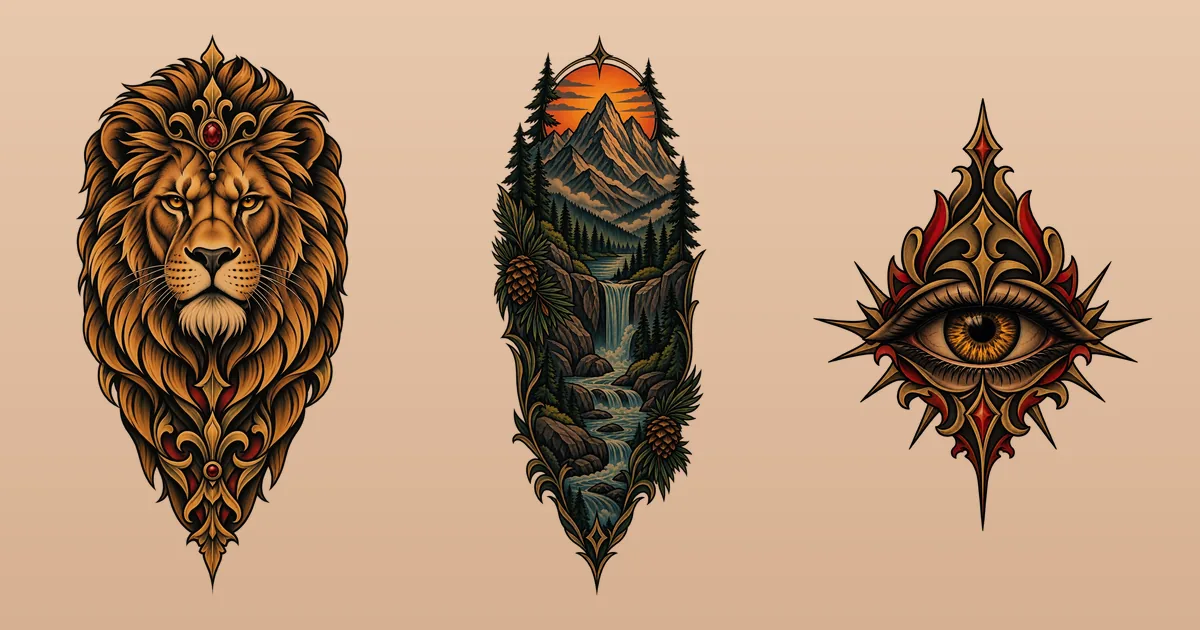
How to design your own tattoo, from first idea to stencil
Do you have to draw to design your own tattoo? No. You need a clear idea, a handful of good references and a few rules about what skin can hold, plus the patience to test the design before anyone picks up a needle. This guide walks through each stage, from the first sentence you write about it to the file you hand your artist.
Start with a sentence, not a sketch
Before any drawing, write the tattoo down in one sentence: what's in it, what style, where it goes, roughly how big and how it should feel. For example: "a heron standing in reeds, Japanese-inspired, black and grey, tall and narrow on my left calf, calm rather than dramatic."
That sentence does three jobs. It forces the decisions a drawing would otherwise hide, it gives an artist or an AI something precise to work from, and it becomes the test for every version that follows. If a design doesn't match the sentence, either the design or the sentence has to change. Not sure what to call the look you want? Our guide to tattoo styles puts names to them.
Then write a second line about why you want it. Meaning rarely shows on the skin, but it decides what you can't leave out. If the heron is for a grandfather who fished every summer, maybe the reeds matter more than the bird's exact pose.
Gather references, and label what you like
Collect five to ten images, no more. For each one, write down the single thing you like about it: the pose, the line weight, the way the flowers frame the subject, the amount of open skin. A board of thirty pretty pictures tells an artist nothing; five pictures with notes tell them almost everything.
- Look at healed tattoos, not just fresh ones. Fresh photos are sharp and saturated; healed work shows how a style really settles into skin.
- Mix your sources: tattoo flash, illustration, photographs, old engravings, a pattern on a textile. Strong designs often borrow from outside tattooing.
- Don't copy someone's custom tattoo. It was drawn for one person by one artist. Use it to point at a style or an element, and expect a good artist to decline copying it outright.
Three ways to design your own tattoo without drawing skills
1. Rough out shapes, not finished art
A sketch is a quick freehand drawing that isn't meant to be finished, and that's exactly what you need. Draw boxes and arrows for where things go: the main subject here, the flowers curling under it, the date along the bottom. Trace parts of printed references onto tracing paper and shuffle them until the composition works. An artist or an AI can turn that into clean linework; nobody needs your lines to be good.
2. Describe it to an AI
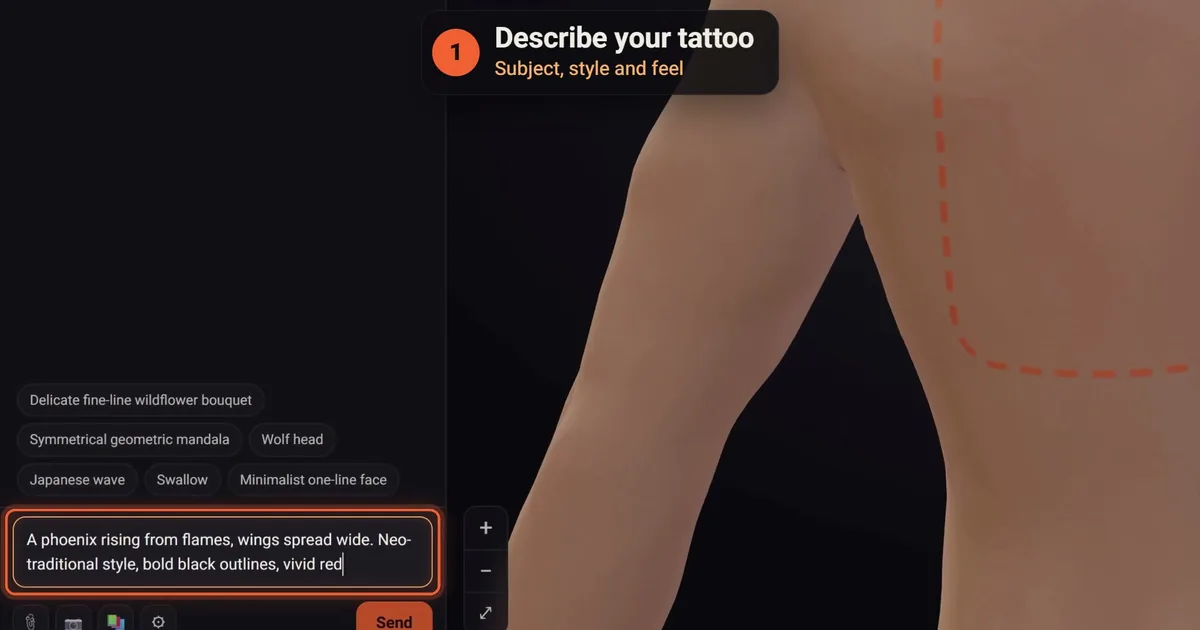
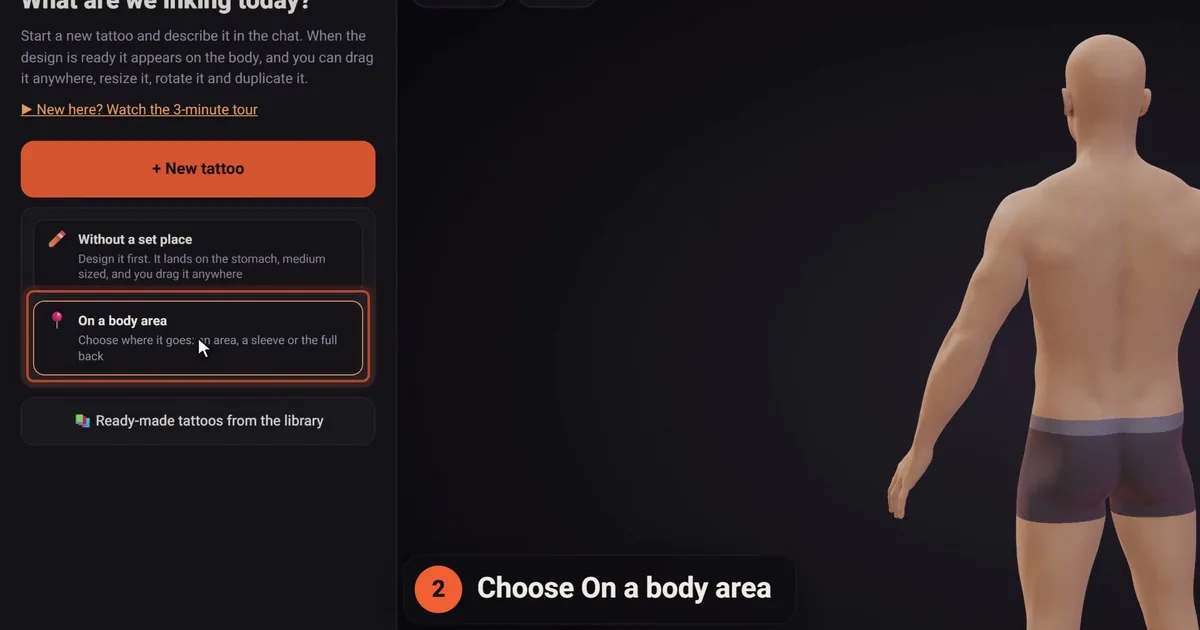
An AI tattoo designer turns your sentence into a drawing, usually within one to three minutes, and you refine it in plain words. In click2ink, a project's first tattoo starts with four questions: where on the body (tap a spot on a small figure, pick a sleeve or the full back, or decide later), which of 16 styles (or "Let the artist choose"), your description, and up to three optional pictures, for each of which you say whether the AI should take the idea, the style or that exact tattoo. "Design my tattoo" sends it all. Our list of AI tattoo prompts shows what to write for each style.
3. Start from a ready-made design and change it
Pick a design that's close and change one thing at a time: a different flower, your own date, a mirrored pose, a simpler background. click2ink's library holds 450+ ready-made tattoos drawn especially for it and free to use, and when you ask the AI for a change, it changes only what you name and keeps the rest.
Make it tattooable: what skin can hold
A design can be beautiful on paper and still be a poor tattoo. Before you call yours finished, check it against the rules artists work by:
- Give the lines room. Ink softens slightly in skin over the years, so gaps between lines should be at least as wide as the lines themselves, and wider at small sizes.
- Keep a readable silhouette. Imagine the whole shape filled in solid black. If you can't tell what it is, neither will anyone across a room.
- Plan the bare skin. Negative space, the empty space around and between the subjects, is part of the design. On skin, it's also your lightest "color", which is why click2ink leaves white ink out of its designs by default and lets bare skin do the highlights. White goes in only when you request it.
- Match the detail to the size. A 5 cm ankle piece holds one subject and maybe a leaf; a 25 cm thigh piece can hold a whole scene.
- Follow the body. Tall shapes suit the forearm, calf and ribs; wide shapes suit the chest and upper back. Our tattoo placement guide goes area by area.
- Proofread the words. Names, dates and quotes go in exactly as they should be tattooed, checked letter by letter.
Live with it before you ink it
The design you love tonight may bore you in a month. Give it time, and look at it the way you'll see it on your body:
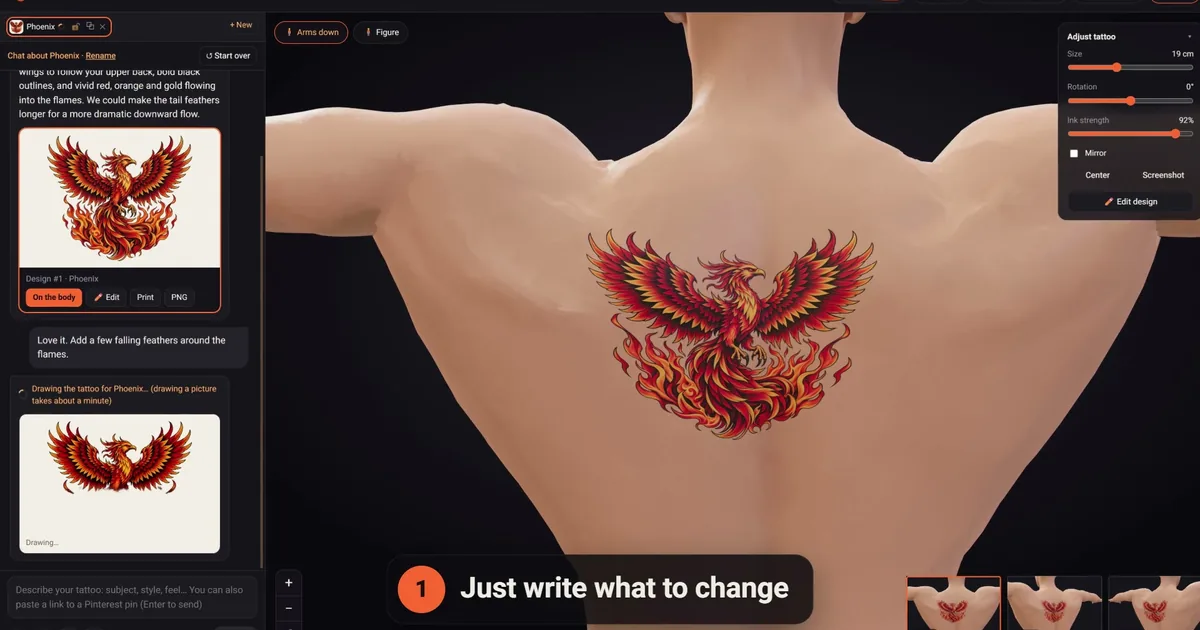
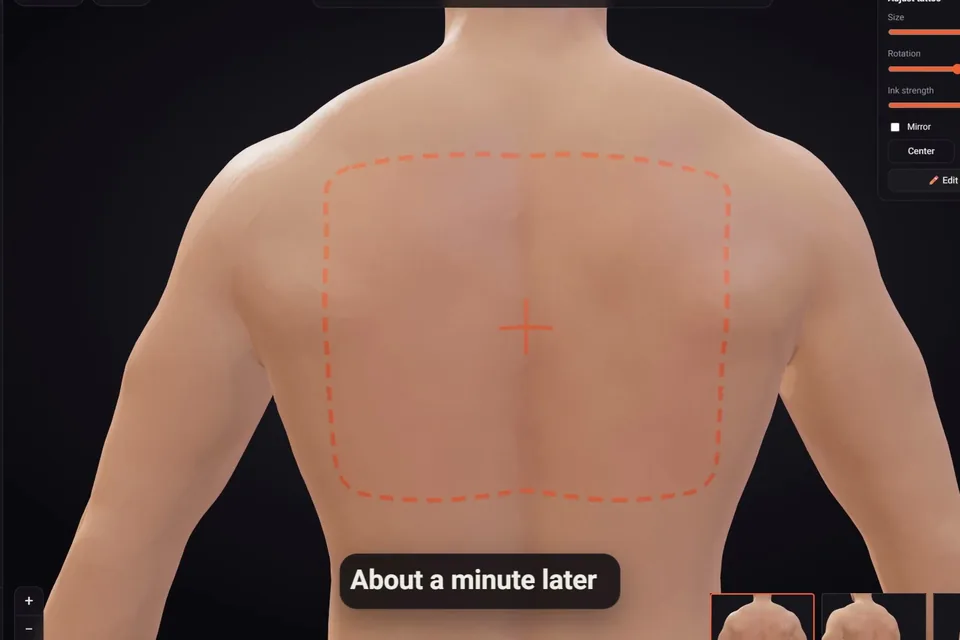
- See it on a body. On click2ink's 3D figure, the design sits in your skin tone at its real size, and you can turn it to every angle.
- Try a variation or two. Under the newest design, one-tap changes give More detail, Simpler, Add colour, Black & grey or Another version, a credit each. Every design keeps its number, and "On the body" brings an earlier one back for free.
- Print it at real size and tape it on. Wear it for an evening and notice how often you glance at it.
- Wait. There's no rule, but if you still want the same design after a couple of weeks, that's a good sign.
Hand it over without losing what's yours
When you design your own tattoo, the drawing is a brief, not a contract. A good artist will redraw it: thicken a line that's too fine, open a gap that will close, shift the composition so it follows your muscle. Those changes protect the tattoo. Ask why they suggest something, and say which parts matter most to you.
Bring the PNG, a stencil printed at its true size and your notes on what must stay. Some artists are happy to tattoo a client's design after adjusting it, some only tattoo their own drawings, and many charge for drawing time, so ask when you book. If you'd rather an artist drew the whole thing, our guide to custom tattoo design explains how that works.
Ready to design your own tattoo? A few last questions
Can I design my own tattoo if I can't draw at all?
Yes. Write the idea down precisely, collect a few labeled references and rough out the layout with boxes and arrows, or describe it to an AI tattoo designer and refine it in words. Drawing skill helps you show an idea; it isn't what makes a design good. Clear decisions about subject, style, size and placement matter far more.
Is there a free way to design your own tattoo online?
Yes. Free drawing apps exist if you want to sketch, and many AI tools have a free start. click2ink gives new accounts 3 free credits, each one a message to the AI artist, with no card needed. The library of 450+ ready-made designs, placing tattoos on the 3D figure, printing and sharing cost nothing; the pricing page has the details.
What will my artist change in a design I made?
Usually the things skin can't hold: lines that are too thin or too close, details too small for the size, and a shape that ignores the body part. They may also simplify a busy background or nudge an element onto flatter skin. Ask what they'd change before the appointment, so nothing on the day comes as a surprise.
How do I turn a rough sketch into a clean design?
Photograph or scan it in good light, then either ask an artist to redraw it or attach it to an AI tool to redraw as clean artwork. In click2ink, attach it with 📎 as a sketch to redraw, and say what to keep: the composition, the pose, the lettering. Then refine it with one written change at a time.
Should I choose the placement or the design first?
Placement first, in most cases. The spot sets the shape, the size and therefore how much detail the design can hold. A design drawn without a home often ends up squeezed or stretched to fit. If you truly can't decide, design loosely, then settle the placement before you work on the final version.
How many elements can one tattoo have?
Fewer than you think. One main subject, one or two supporting elements and a background or frame is a reliable recipe for a medium piece. More than that needs more skin: a scene that works on a thigh will turn to clutter on a wrist. If you have five ideas, consider two tattoos instead of one crowded one.
Can I copy a tattoo I found online?
Use it as a reference, not a template. Someone's custom tattoo was drawn for them, and many artists won't copy another artist's work line for line. Point at what you like, whether it's the style, the pose or the framing, and let your design take it somewhere new. Flash is the exception: it's drawn to be tattooed on whoever picks it.
How long should I wait before tattooing a design I made?
There's no fixed rule. A couple of weeks is often enough to tell a passing crush from a design you'll want for life. Print it, put it on a body and look at it on ordinary days. If you keep wanting to change it, it isn't finished yet; once you stop noticing flaws, it might be.
What makes a homemade design hard to tattoo?
Lines too thin or too close together, tiny text, too many elements for the size, soft gradients with no structure, and white highlights that skin can't hold. A shape that ignores the body part is another common problem. None of these is fatal, since an artist can fix them, but it's quicker if you fix them first.